

Stord
Source
Polytomic connects to Stord using a Store API key:
-
Obtain your Stord API key by contacting Stord customer support.
-
In Polytomic, go to Connections → Add Connection → Stord.
-
Paste your Stord API key, Network ID, and Organization ID in Polytomic:
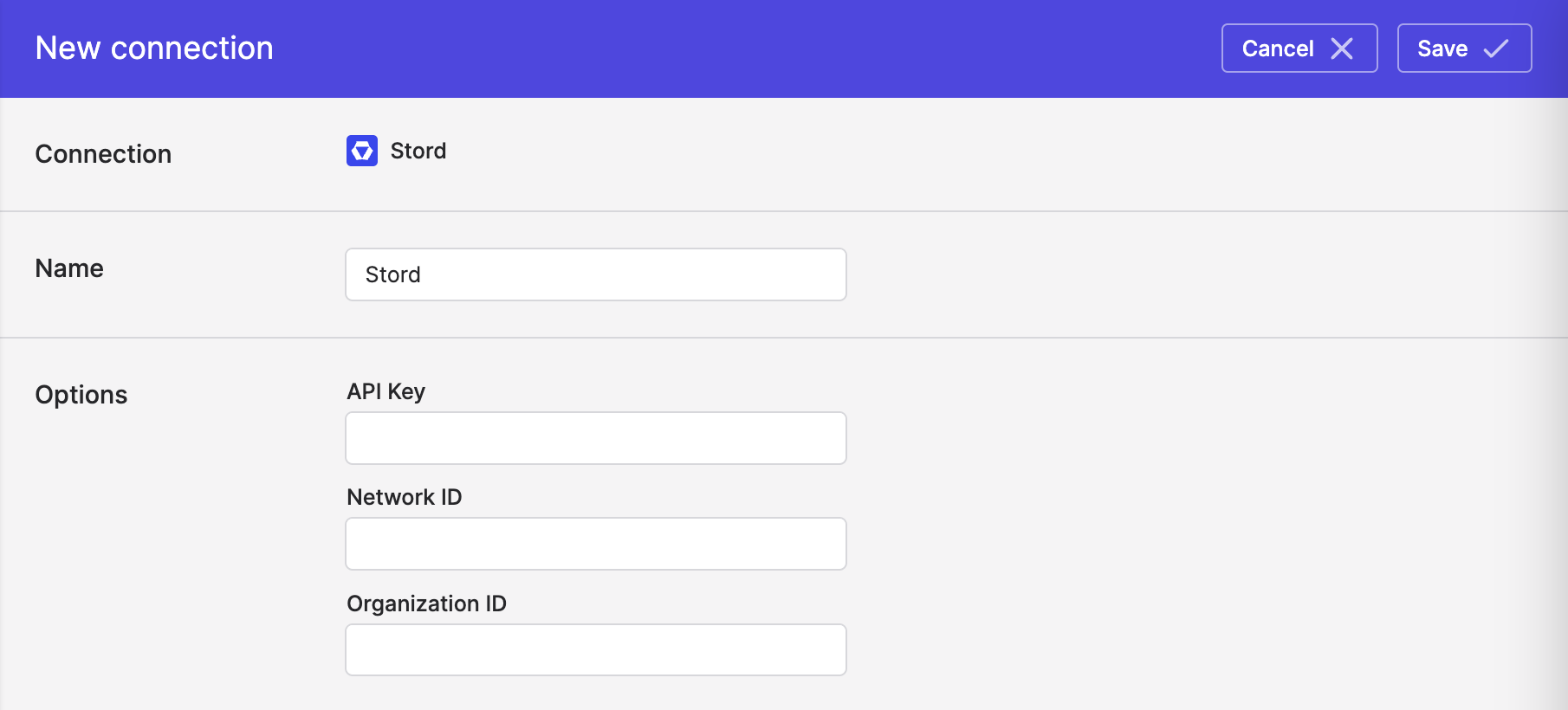
- Click Save.
Syncing from Stord
Use Bulk Syncs to sync your data from Stord (orders, products, invoices, etc) to your data warehouses, databases, and cloud storage buckets like S3.
Use Model Syncs to sync your data from Store to your SaaS applications, spreadsheets, and webhooks.
Adjusting the lookback for Charges
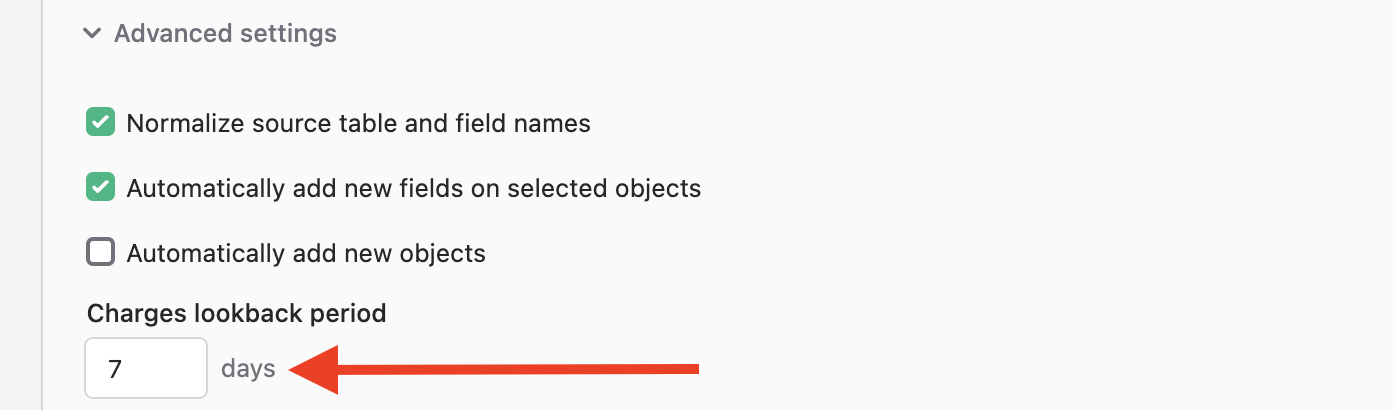
Polytomic supports syncing many different collections from Stord. The Charges collection in particular implements a lookback period for any retroactive changes made by Stord.
This lookback period is set to a default period of seven days but can be adjusted through the Advanced Settings section at the bottom of your bulk sync configuration:
Speeding up the initial sync for Charges
The Stord API can be a bit slow when exporting the Charges collection.
If you don't need all its historical data on your initial sync, we recommend setting a bulk sync table filter on the Inserted At field to the present day onwards.
Updated 4 days ago