

Wavelength
Source and destination
Polytomic authenticates to Wavelength using a Wavelength API key.
- In Polytomic, go to Connections → Add Connection → Wavelength.
- Enter your Wavelength API key:
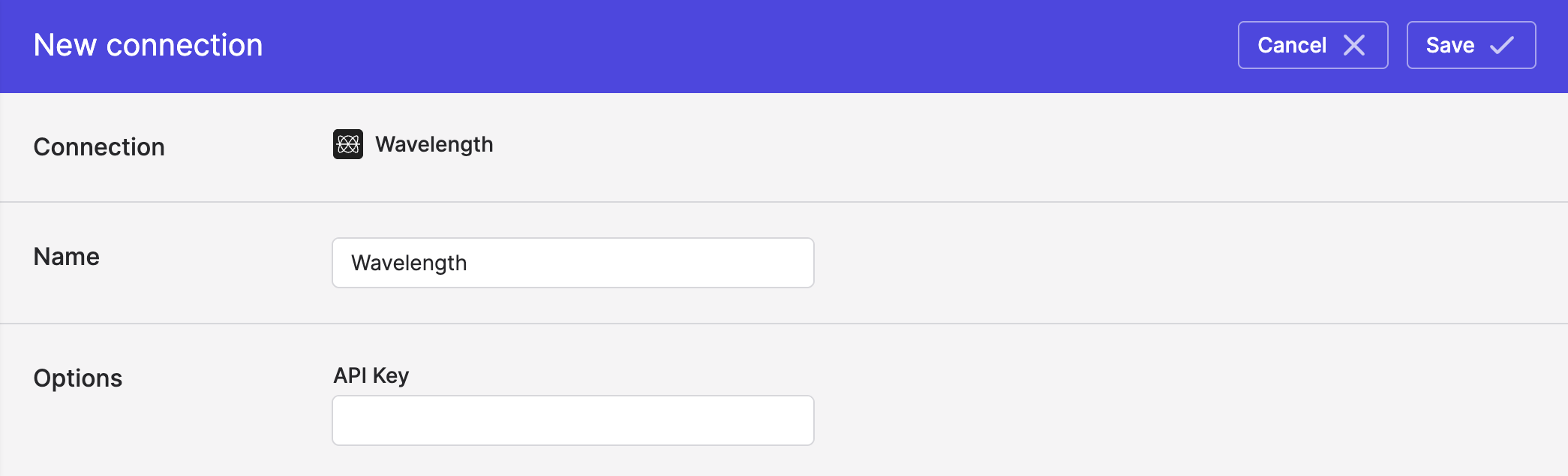
- Click Save.
Syncing from Wavelength
Use Bulk Syncs to sync your Wavelength data to your data warehouses, databases, and cloud storage buckets like S3.
Use Model Syncs to sync your Wavelength data to your SaaS applications like Attio, Salesforce, Zendesk, Intercom, and others.
Syncing to Wavelength
Use Model Syncs to sync to Wavelength from your data warehouses, databases, SaaS applications, spreadsheets, APIs, and clou dstorage buckets.
Creating new fields in Wavelength
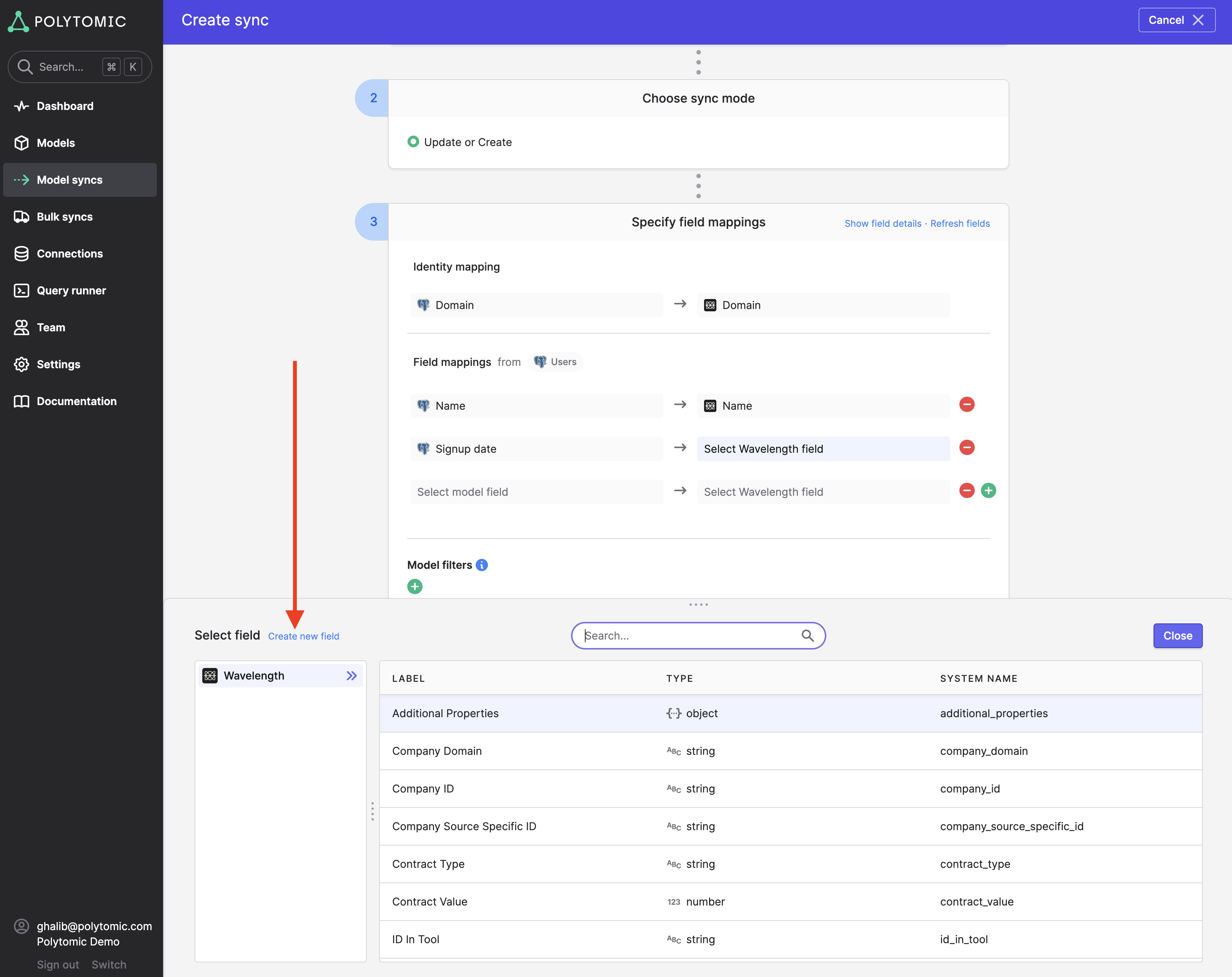
When syncing to Wavelength, you are able to create new fields in Wavelength from Polytomic. Simply click Create new field in the destination field mapping of your Model Sync configuration:
Updated 3 months ago