

OpenAI Ads
Source and destination
Polytomic connects to OpenAI Ads using an OpenAI Ads API key:
- In the OpenAI Ads Manager console go to Settings and generate your OpenAI Ads API key.
- In Polytomic, go to Connections → Add Connection → OpenAI Ads.
- Enter the API key from Step 1 in Polytomic:
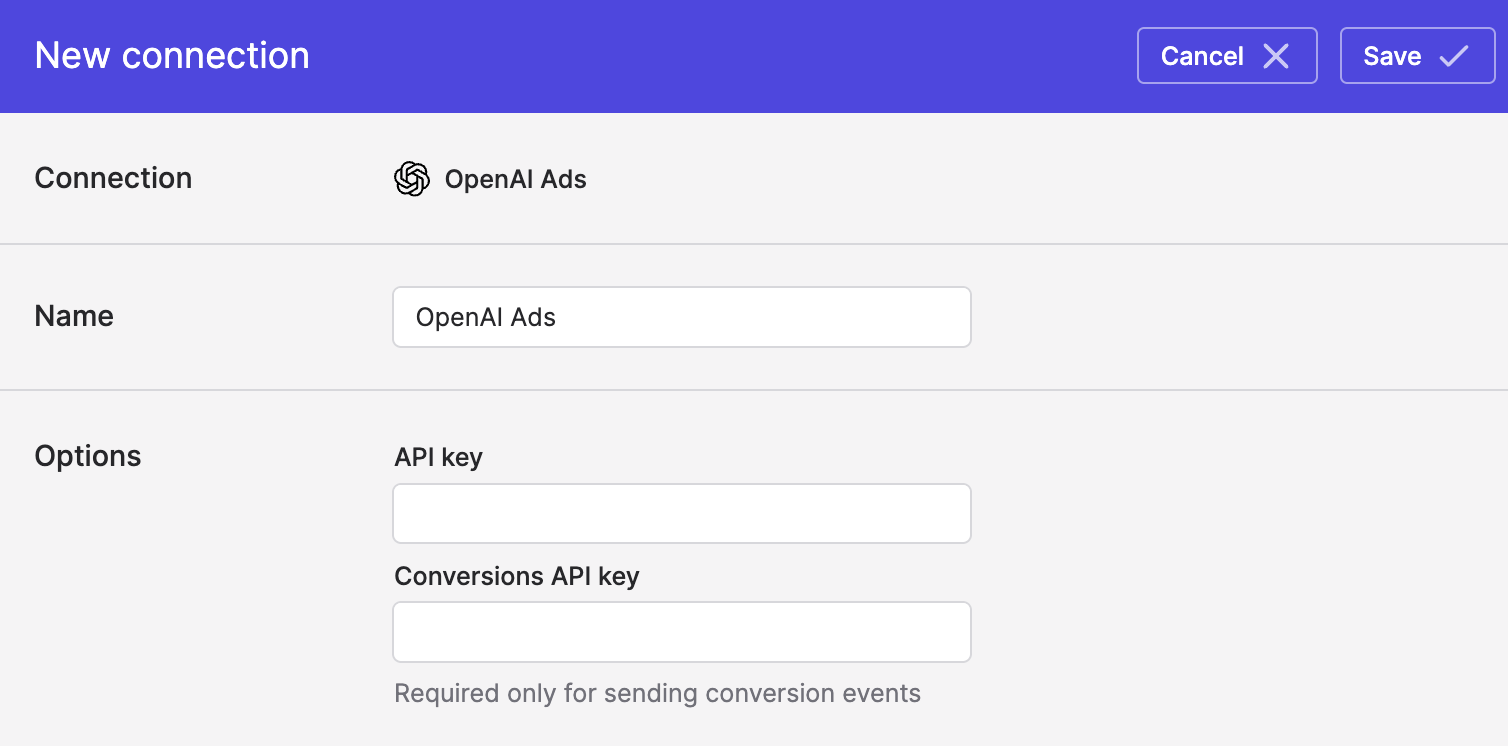
- Optional: also enter your OpenAI Ads conversions API key only if you will be sending conversion events to OpenAI Ads.
- Click Save.
Syncing from OpenAI Ads
Use Polytomic's Bulk Syncs to sync your OpenAI Ads data to your data warehouses, databases, and cloud storage buckets like S3.
Use Polytomic's Model Syncs to sync your OpenAI Ads data to SaaS applications, spreadsheets, and webhooks.
Syncing to OpenAI Ads
Use Polytomic's Model Syncs to sync audiences and conversion events to OpenAI Ads from your data warehouses, databases, SaaS applications, spreadsheets, APIs, and cloud storage buckets like S3.
Updated 10 days ago