

Coupa
Source
Polytomic connects to Coupa using a Coupa hostname, Client ID, and Client Secret:
- Find your Coupa hostname in your Coupa URL. Your Coupa URL will be in the following format:
hostname.coupahost.comorhostname.coupacloud.com. You will enter this hostname in Polytomic later. - In Coupa, go to Setup → Integrations → Setup → OAuth2/OpenID Connect Clients.
- Click Create.
- Select Client Credentials as the Grant Type.
- Enter the following information for this client:
- Name
- Login
- Contact First Name
- Contact Last Name
- Contact Email
- Select the following read scopes:
core.accounting.readcore.approval.readcore.budget.readcore.business_entity.readcore.catalog.readcore.common.readcore.contract.readcore.contracts_template.readcore.easy_form_response.readcore.expense.readcore.integration.readcore.inventory.adjustment.readcore.inventory.asn.readcore.inventory.consumption.readcore.inventory.receiving.readcore.inventory.return_to_supplier.readcore.inventory.transfer.readcore.inventory.transaction.readcore.invoice.readcore.item.readcore.order_pad.readcore.pay.charges.readcore.pay.payments.readcore.payables.external.readcore.project.readcore.purchase_order.readcore.requisition.readcore.sourcing.readcore.sourcing.pending_supplier.readcore.sourcing.response.readcore.supplier_information_tax_registrations.readcore.supplier.readcore.supplier.risk_aware.readcore.user_group.readcore.user.read
- Click Save. This will show you the client ID and secret. Note both values (click Show to display the secret).
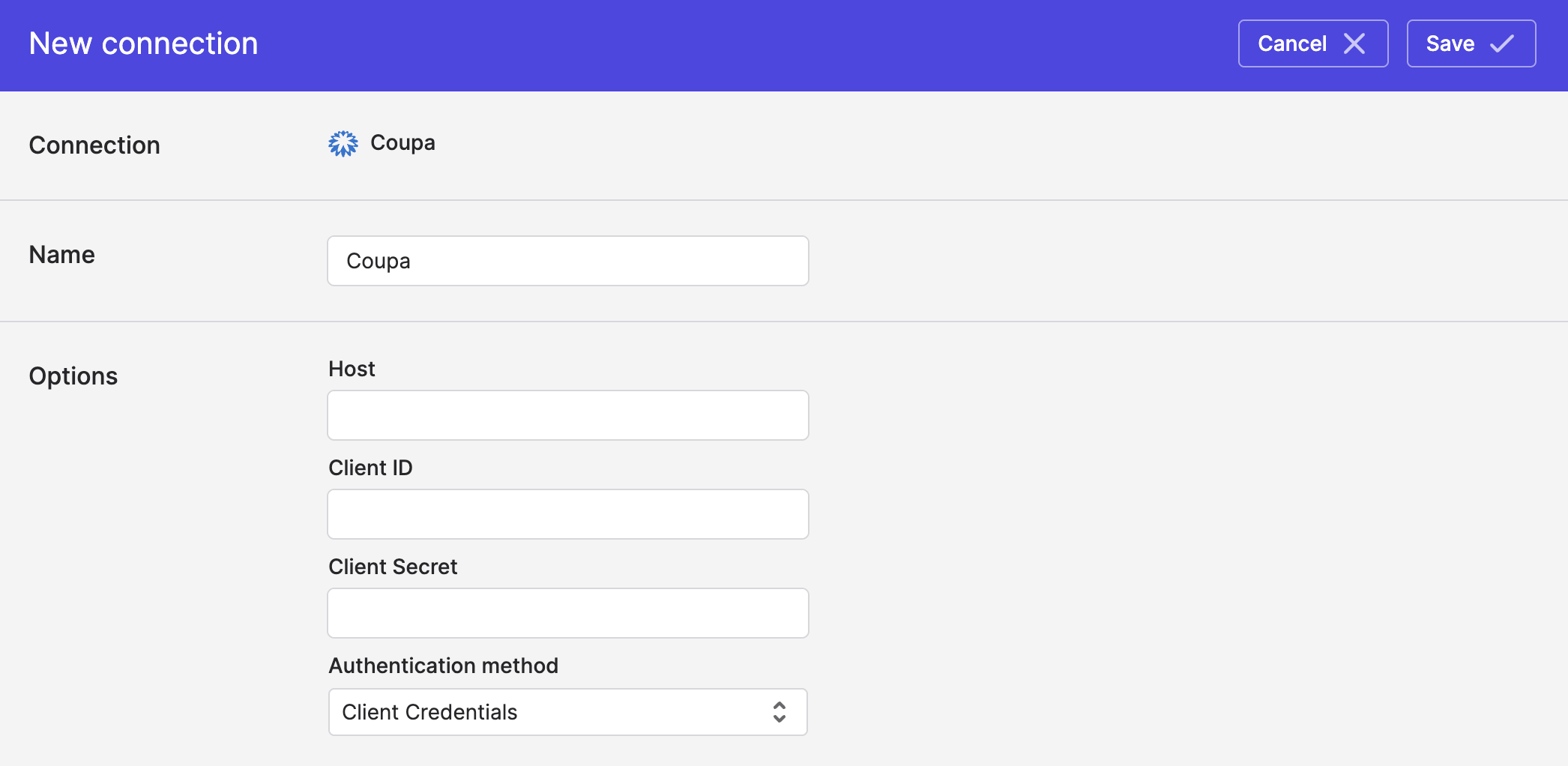
- In Polytomic, go to Connections → Add Connection → Coupa.
- Enter your hostname from Step 1 and your client ID and secret from Step 7.
- Set the authentication method to Client Credentials:
- Click Save.
Syncing from Coupa
Use Polytomic's Bulk Syncs to data from Coupa to your data warehouses, databases, and cloud storage buckets like S3.
Updated 3 months ago