

Multiple schedules
Specify multiple schedules for your Bulk Sync
You can specify multiple schedules for the same Bulk Sync. Common use cases for doing so include:
- Scheduling some tables to run more frequently than others. Freshness in your warehouse may matter more for some tables than others.
- Scheduling a periodic full resync. Perhaps your source system does not broadcast deletes, so you'd like to run a full resync and table rebuild to your data warehouse once a week to exactly reflect your source data.
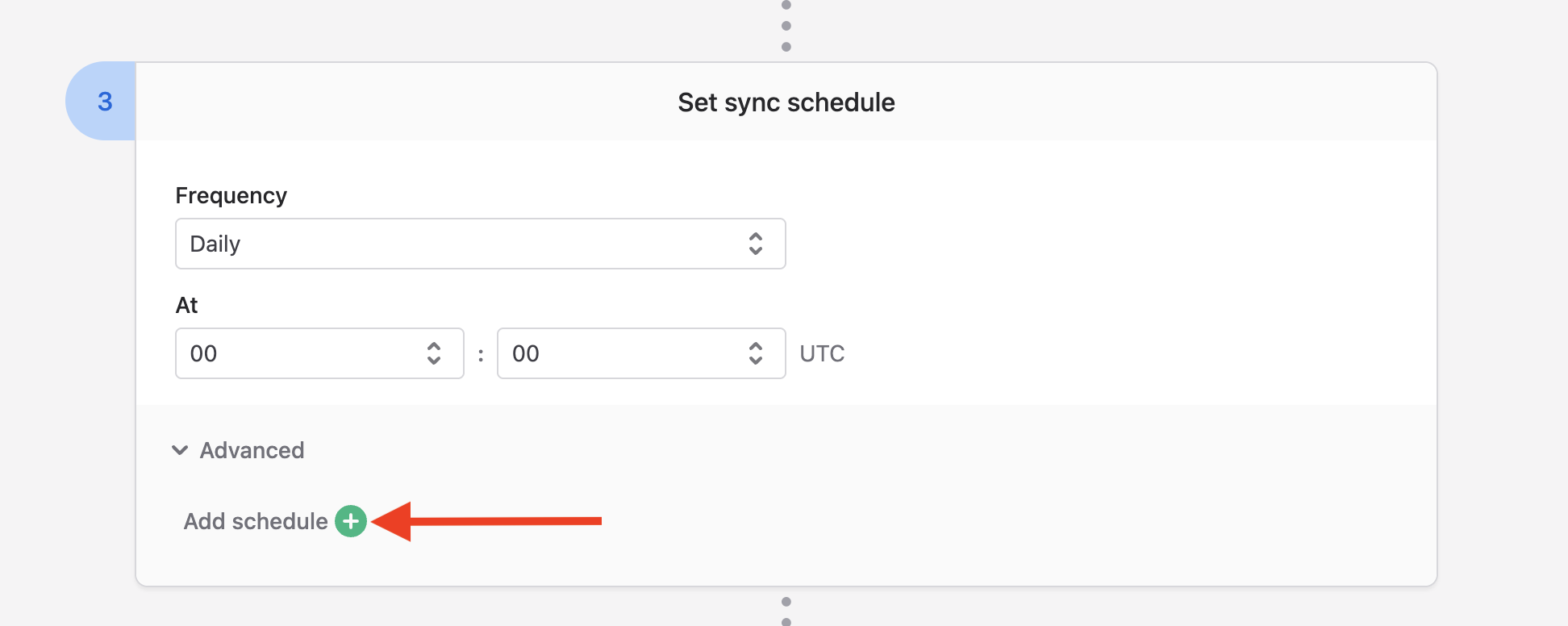
You can specify any number of additional schedules in your Bulk Sync by going to Advanced → Add schedule in Stage 3 of your Bulk Sync configuration:
Each schedule requires that you specify three options:
- The objects/tables to include (a subset of your master selection in Stage 2 of your Bulk Sync configuration).
- Whether the sync should be incremental or a full resync.
- The schedule it should run on.
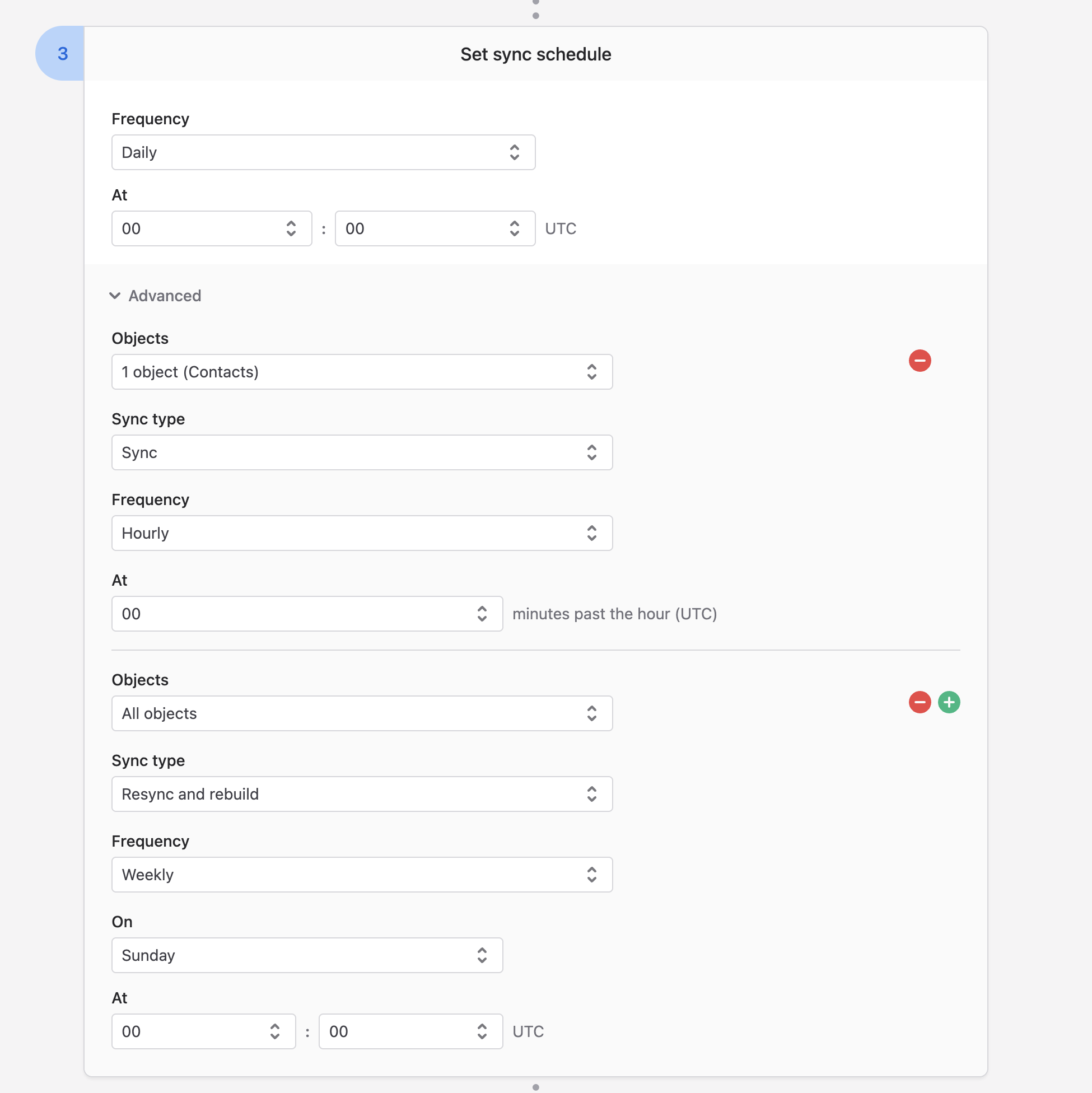
The above is an example Bulk Sync that:
- Syncs everything once a day.
- Also syncs the Contacts object hourly.
- Does a full resync and table rebuild once a week.
Updated 4 months ago