

Google Cloud PostgreSQL
Source and destination
Whitelist IPsIf your database network-access policy requires whitelisting our IPs first, you can find them here: https://docs.polytomic.com/docs/whitelist-ips.
Polytomic connects to a Google Cloud PostgreSQL instance using a Google Cloud service account key.
Add the connection
-
Create a service account key. See Create a service account key.
-
Create a user on your PostgreSQL database. You will supply this account's credentials to Polytomic. See Create a PostgreSQL user for Polytomic below.
-
In Polytomic, go to Connections → Add Connection → Google Cloud PostgreSQL.
-
Enter your connection details:
- Cloud SQL connection name: your instance's connection name in the form
project:region:instance. See Find your connection name. - Database: the name of the database to connect to.
- Username and Password: the PostgreSQL user you created in step 2. You can leave Password empty when authenticating with IAM.
- Service account key: the JSON key file from step 1.
- Cloud SQL connection name: your instance's connection name in the form
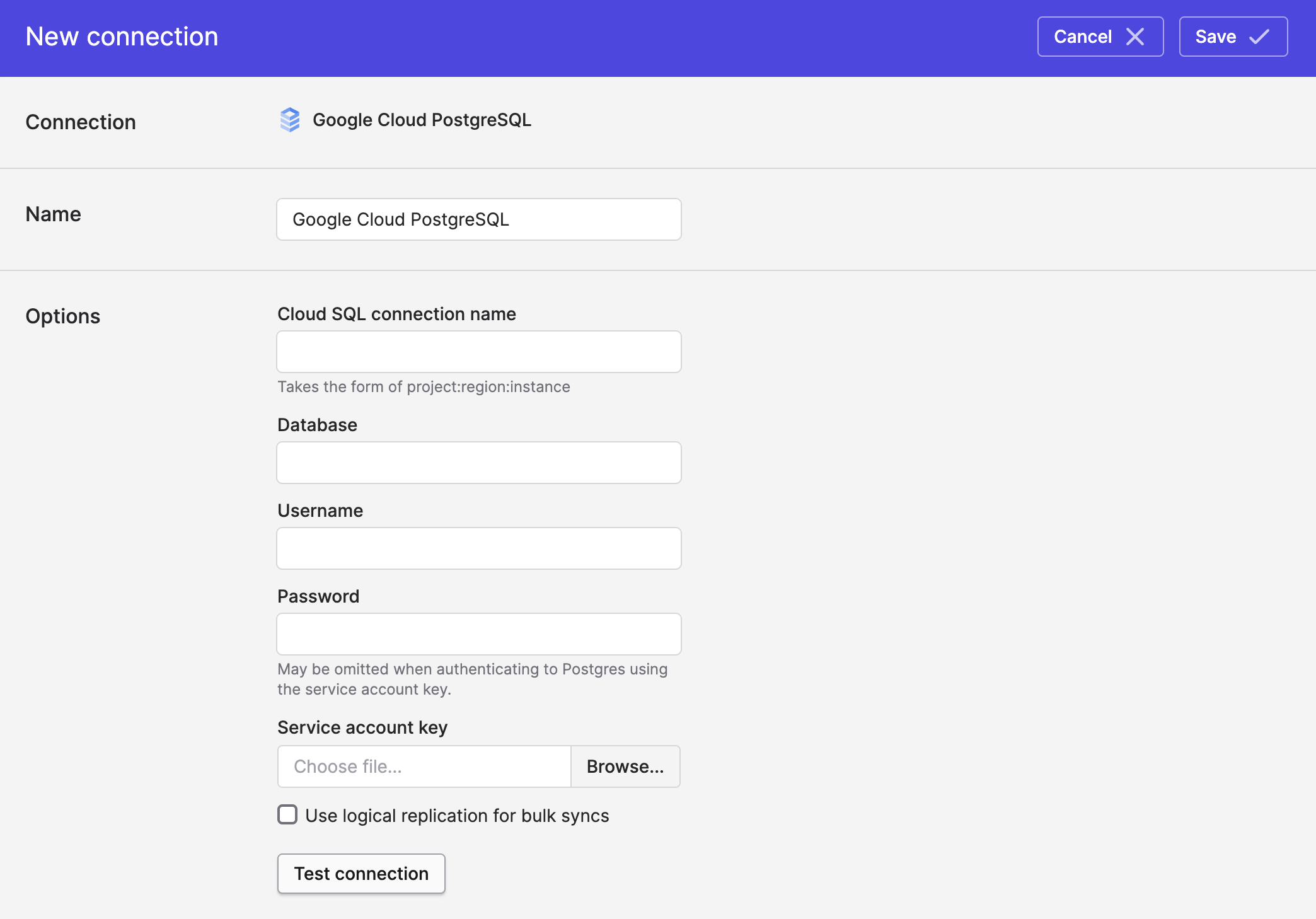
- Click Save.
Create a PostgreSQL user for Polytomic
Create a user on your PostgreSQL database and grant it access to the database and schema you want to sync. You'll supply these credentials to Polytomic.
Connect to your instance as a user with the cloudsqlsuperuser role (for example, the default postgres user) and run:
CREATE USER polytomic_user WITH PASSWORD 'my_password';
GRANT CONNECT ON DATABASE my_database TO polytomic_user;
GRANT USAGE ON SCHEMA my_schema TO polytomic_user;
Grant read access to the tables you want to sync and to the information schema:
GRANT SELECT ON ALL TABLES IN SCHEMA my_schema, information_schema TO polytomic_user;If you want Polytomic to write to PostgreSQL as well, grant the additional permissions listed in Required PostgreSQL user permissions.
Using IAM authenticationIf you authenticate with IAM instead of a password, create the user from the Cloud SQL console's Users tab (or with
gcloud) as a Cloud IAM user, then grant it the same permissions shown above. See https://cloud.google.com/sql/docs/postgres/add-manage-iam-users.
CDC replication
For fast incremental Bulk Syncs from Google Cloud PostgreSQL, Polytomic can read your instance's logical replication log instead of scanning your tables. See CDC replication for Google Cloud PostgreSQL.
Updated 3 months ago