

MotherDuck
Source and destination
About
Polytomic can run ETL and sync workloads with MotherDuck in both directions. The following workloads are supported:
- Ingesting data from SaaS platforms like Stripe, Salesforce, Intercom, and many others .
- High-scale ingest CDC (Change Data Capture) streaming from storage systems like PostgreSQL, MySQL, PlanetScale, MongoDB, Amazon DynamoDB, and Amazon S3.
- Reverse ETL: sync from MotherDuck to SaaS platforms, databases, data warehouses, spreadsheets, webhooks, and cloud storage buckets like S3.
Connecting Polytomic to MotherDuck
Polytomic connects to MotherDuck using a MotherDuck Access Token:
-
Generate a MotherDuck Access Token by following MotherDuck's instructions.
-
In Polytomic, go to Connections → Add Connection → MotherDuck.
-
Optional: if you will be writing to MotherDuck, set up an S3 bucket with an Access Key ID and Secret Key.
-
Paste your MotherDuck Access Token in your Polytomic connection. Also include your S3 credentials if you will be writing to MotherDuck:
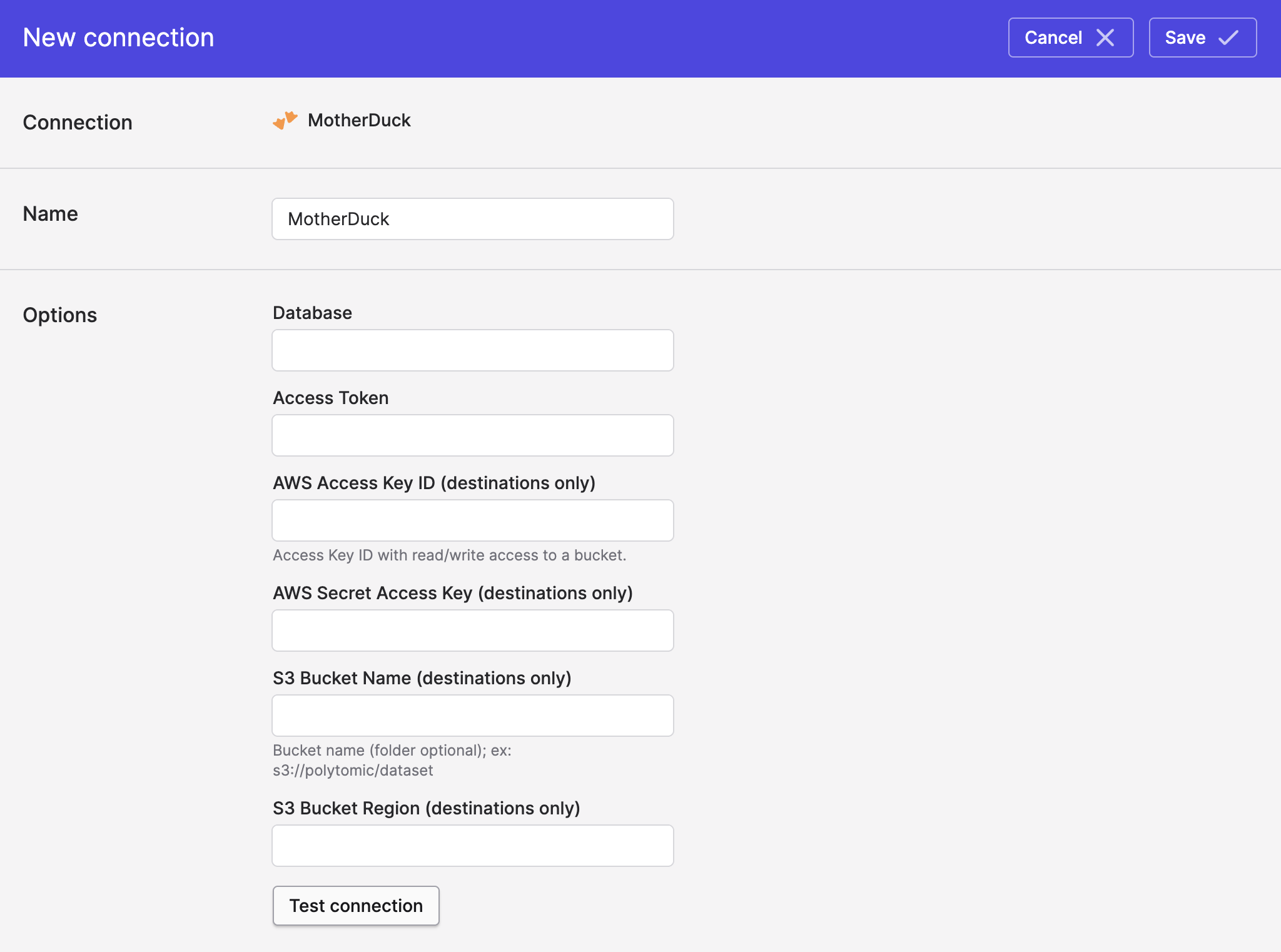
- Click Save.
S3 bucket write requirement
Note that the S3 bucket required for writing to MotherDuck is simply a staging area for temporary files when writing to MotherDuck. It is not used as a permanent data lake. For writing permanent files to S3, you should sync directly to Polytomic's S3 connection.
Syncing to MotherDuck
Use Bulk Syncs to sync to MotherDuck from your databases, data warehouses, SaaS applications, and cloud storage buckets.
Use Model Syncs to sync to MotherDuck from custom SQL queries (e.g. from a custom SQL query on PostgreSQL).
Syncing from MotherDuck
Use Model Syncs to sync from MotherDuck to SaaS applications like Salesforce, spreadsheets like Google Sheets and Airtable, and webhooks.
Updated 3 months ago