

CDC replication
Source
CDC replication only for Bulk SyncsCDC replication from MySQL is only available for Bulk Syncs.
When bulk-syncing data from MySQL into your data warehouse, it's preferred (though not required) for Polytomic to utilize CDC (change data capture) replication. This will avoid Polytomic running full table scans to calculate changes since the last sync. Rather, Polytomic will be able to capture changes in real-time without scanning your tables.
Requirements
To enable this, the following settings need to be enabled for your MySQL database:
-
The Polytomic MySQL user needs to be configured with replication privileges. This can be done with the following query (replace
<username>with your MySQL Polytomic user):GRANT SELECT, REPLICATION CLIENT, REPLICATION SLAVE ON *.* TO <username>@'%';For example, if your Polytomic MySQL user is
polytomicthen your query would be:GRANT SELECT, REPLICATION CLIENT, REPLICATION SLAVE ON *.* TO polytomic@'%'; -
Set the following on your database:
Required for all replication modes:
log_bin: ON
binlog_format: ROW
binlog_row_image: FULL
binlog_row_metadata: FULL  (MySQL 8.0.1+ only)
For GTID-based replication (recommended):
gtid_mode: ON
enforce_gtid_consistency: ON
For position-based replication:
slave_parallel_type: LOGICAL_CLOCKNote: GTID-based replication is recommended as it provides more reliable resumption and eliminates position-based tracking complexities. For MySQL versions prior to 8.0.1,
binlog_row_metadatadoesn't exist and will be treated as compatible.The exact way to set these will depend on your MySQL hosting platform. If you're hosting MySQL yourself then you'll need to edit your
my.cnffile, whereas if you're on AWS RDS then you'll have to edit your parameter group as shown in this screenshot: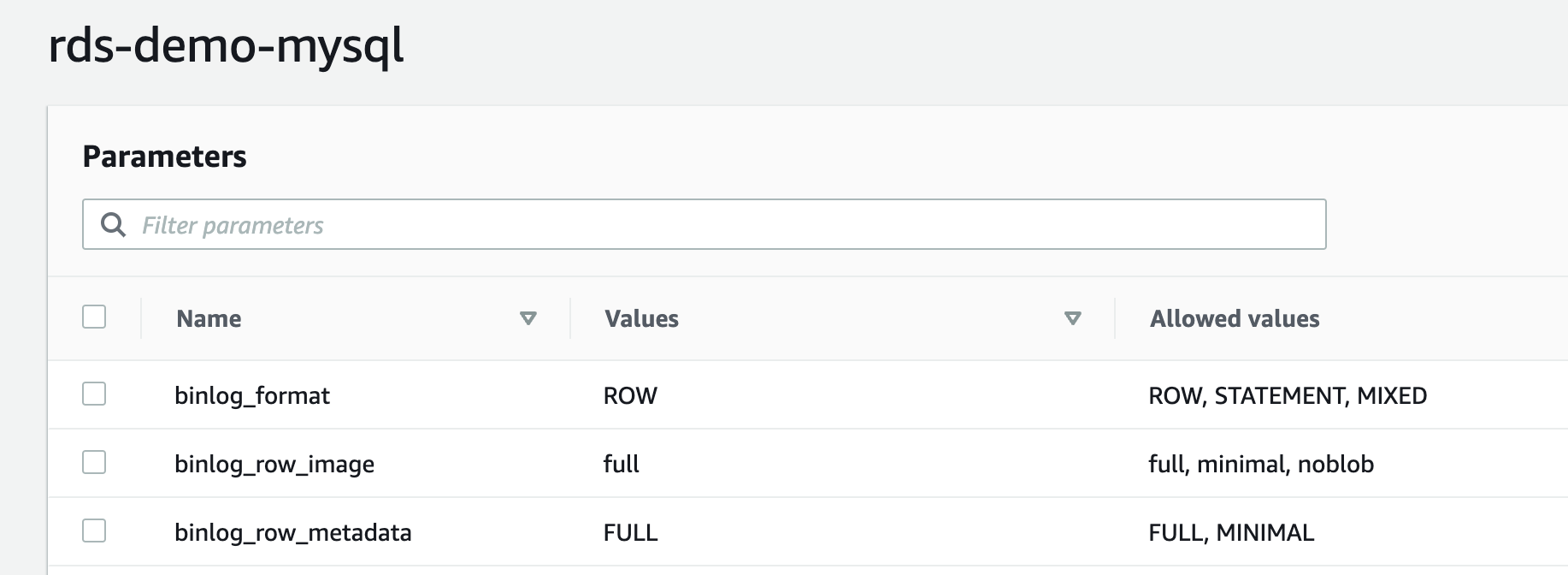
-
Set a log retention period of at least 24 hours; see the section below for instructions.
-
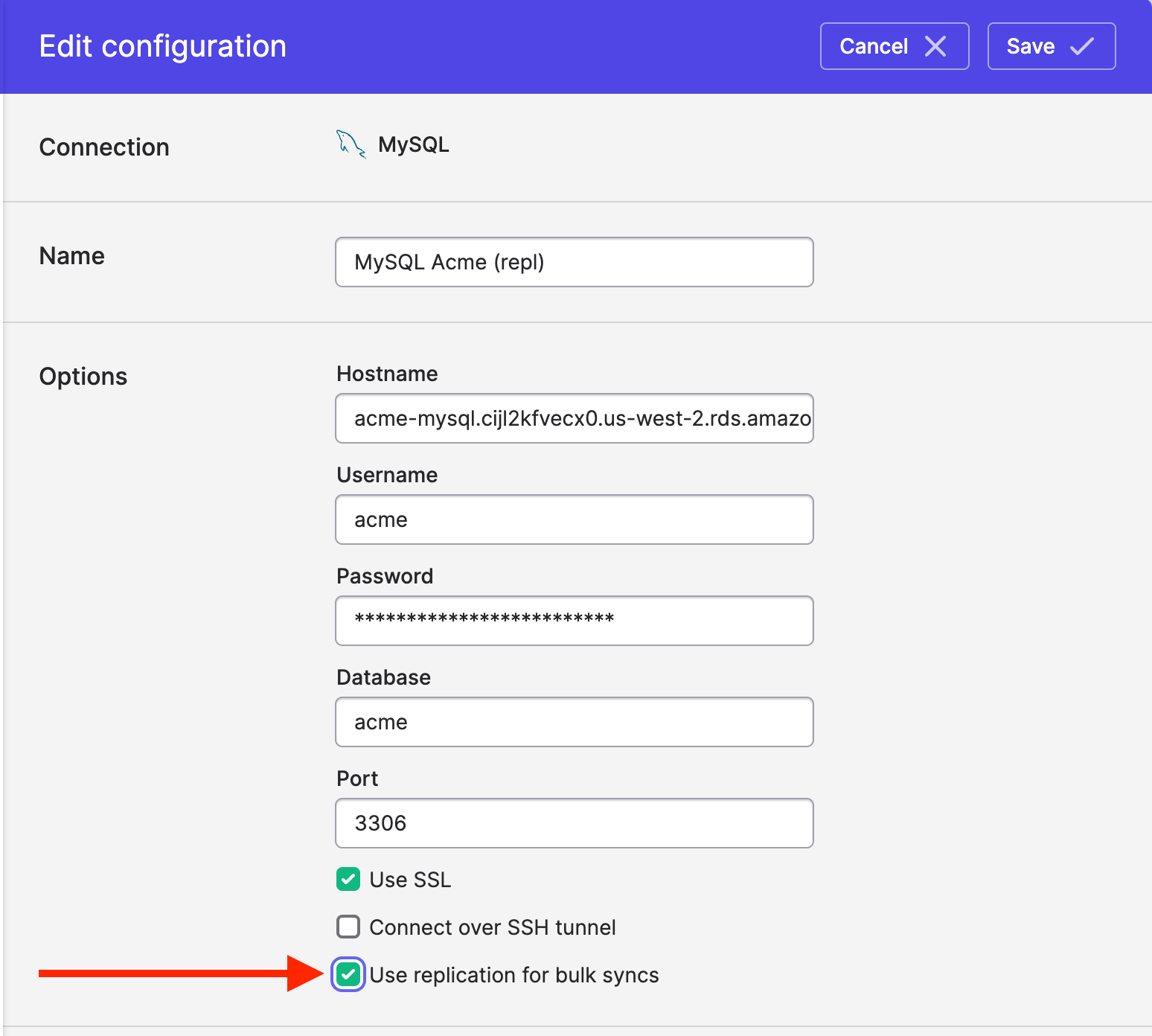
Check the Use replication for bulk syncs box in your Polytomic MySQL connection configuration and click Save.
Verifying Your Configuration
To verify your MySQL server is configured correctly for replication, run the following queries:
-- Check binlog configuration (required for all modes)
SHOW VARIABLES LIKE 'log_bin';           -- Should be 'ON'
SHOW VARIABLES LIKE 'binlog_format';     -- Should be 'ROW'
SHOW VARIABLES LIKE 'binlog_row_image';  -- Should be 'FULL'

-- Check GTID configuration (for GTID-based replication)
SHOW VARIABLES WHERE variable_name IN ('gtid_mode', 'enforce_gtid_consistency');
-- Both should be 'ON' for GTID mode

-- Check binlog_row_metadata (MySQL 8.0.1+ only)
SHOW VARIABLES LIKE 'binlog_row_metadata';  -- Should be 'FULL'

-- View current GTID position (if using GTID mode)
SELECT @@GLOBAL.gtid_executed;
Polytomic will automatically detect whether your server supports GTID-based replication and use it when available. If GTID is not supported, position-based replication will be used instead.
Log retention
The log retention period determines how log replication data (the "binlog") is retained before it's deleted. This determines how far behind a reader can be when replicating data, as well as how far back in time the reader can recover in the event of a failure. The trade-off for increasing the binlog retention period is additional required storage.
We recommend setting the log retention to at least 24 hours.
MySQL
Set binlog_expire_logs_secondsto the configure the binlog retention period for MySQL. See the MySQL documentation for a full description of the setting.
-- For MySQL 8.0.1 and later
SET GLOBAL binlog_expire_logs_seconds = 86400;

-- To make it persistent across restarts
SET PERSIST binlog_expire_logs_seconds = 86400;
You can confirm the settings by using a SHOW query.
SHOW VARIABLES LIKE 'binlog_expire_logs_seconds';MySQL on RDS
MySQL on RDS uses the same configuration setting as MySQL, however the value is set on the parameter group. See the AWS documentation for information on editing parameter groups.
Aurora MySQL
Use the mysql.rds_set_configuration stored procedure to set log retention for Aurora MySQL. See the AWS documentation for details on calling the stored procedure.
Note that SHOW VARIABLES query will return a value when run on Aurora MySQL; this value is not informative.
Updated 3 months ago