

Using AWS IAM roles to access AWS resources
Instructions for configuring Polytomic using AWS IAM role assumption.
Polytomic supports AWS IAM roles for several connection types.
- Amazon DynamoDB for reading and writing tables.
- Amazon Keyspaces for reading and writing keyspaces.
- AWS Athena for running queries and accessing query results.
- AWS S3 for providing read and write access to a bucket.
- ClickHouse for accessing an S3 bucket used to stage data during syncs.
- Databricks for accessing an S3 bucket used to stage data during syncs.
- Redshift for accessing an S3 bucket used to stage data during syncs, and for
COPYandUNLOADoperations. - Redshift Serverless for accessing an S3 bucket used to stage data during syncs, and for reading data using
UNLOADoperations.
This page describes common configuration settings for these connections.
S3 Permissions
Polytomic requires the following permissions when writing to S3 buckets, either directly or as a staging area for other connections.
s3:GetObjects3:ListBuckets3:PutObjects3:DeleteObjects3:GetBucketLocation
Connections that only read from a bucket need only s3:GetObject and s3:ListBucket. See the AWS S3 page for details.
Grant these permissions on the bucket and on the wildcard (*) object in the bucket.
For example, a valid IAM policy for a bucket named syncoutput would be as follows.
{
    "Version": "2012-10-17",
    "Statement": [
        {
            "Sid": "PolytomicBucket",
            "Effect": "Allow",
            "Action": [
                "s3:GetObject",
                "s3:ListBucket",
                "s3:PutObject",
                "s3:DeleteObject",
                "s3:GetBucketLocation"
            ],
            "Resource": [
                "arn:aws:s3:::syncoutput/*",
                "arn:aws:s3:::syncoutput"
            ]
        }
    ]
}
Role Assumption
In addition to operating permissions, the role must be assumable by Polytomic. A trust policy that allows Polytomic to assume the role will look like the following:
{
    "Version": "2012-10-17",
    "Statement": [
        {
            "Effect": "Allow",
            "Principal": {
                "AWS": "arn:aws:iam::568237466542:root"
            },
            "Action": "sts:AssumeRole"
        }
    ]
}
Some integrations such as Redshift Serverless require additional trust clauses; consult the integration documentation for details.
Some integrations support setting additional tags when Polytomic assumes the role. If you configure the connection with additional tags, you must include the sts:TagSession permission in your trust policy:
{
    "Version": "2012-10-17",
    "Statement": [
        {
            "Effect": "Allow",
            "Principal": {
                "AWS": "arn:aws:iam::568237466542:root"
            },
          "Action": [
            "sts:AssumeRole",
            "sts:TagSession"
          ]
        }
    ]
}
Specifying an IAM role for your connection
- When creating an S3, ClickHouse, Databricks, or Redshift Serverless connection, choose IAM role for the Authentication method.
- Enter the IAM Role ARN Polytomic will assume when connecting to the bucket.
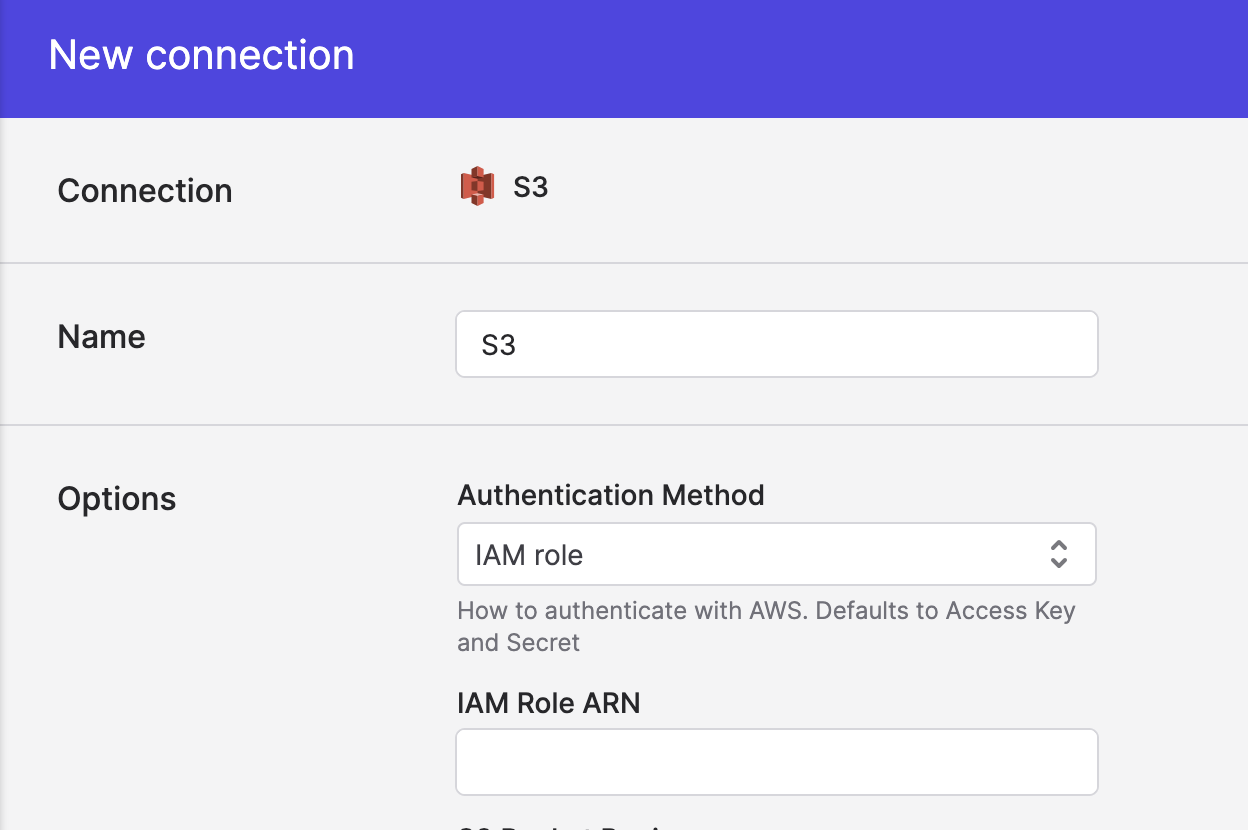
Creating a new S3 connection with IAM role selected as the authentication method.
- Click Save.
Restricting the trust policy
Using an external identifier
When you click Save, Polytomic displays an External ID below the Role ARN. You can use it to further limit who can assume the role.
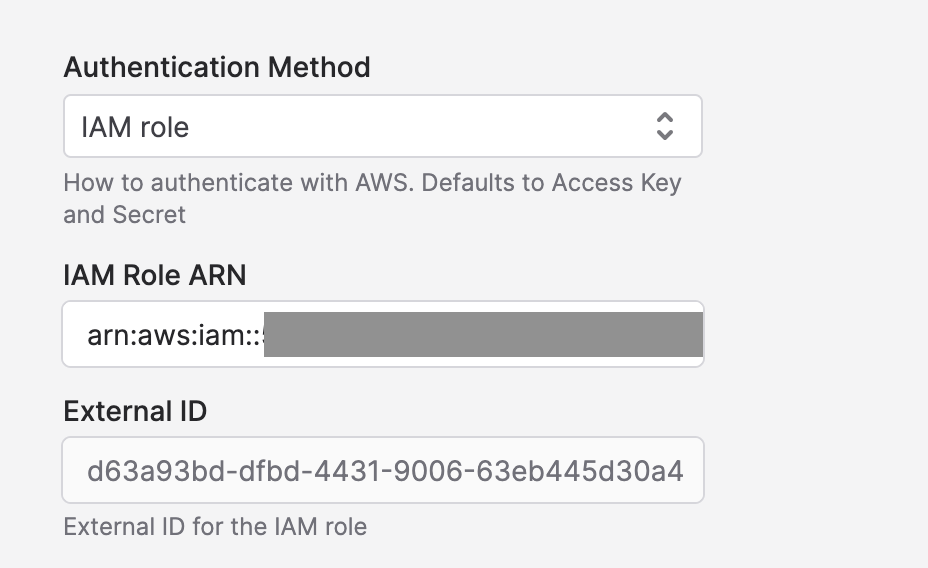
S3 connection details after saving, displaying the External ID.
A trust policy that verifies the External ID before allowing Polytomic to connect will look like the following:
{
    "Version": "2012-10-17",
    "Statement": [
        {
            "Effect": "Allow",
            "Principal": {
                "AWS": "arn:aws:iam::568237466542:root"
            },
            "Action": "sts:AssumeRole",
            "Condition": {
                "StringEquals": {
                    "sts:ExternalId": "0000"
                }
            }
        }
    ]
}
The External ID is shared across your OrganizationThe External ID is your Polytomic Organization's ID. It's the same for every IAM role connection in your Organization, so a single trust policy can serve several connections. Requiring it prevents other Polytomic customers from using your role. It doesn't distinguish between connections within your Organization.
Restricting assumption to a role
You can further restrict who can assume your role by specifying the following role from Polytomic's account as the principal:
arn:aws:iam::568237466542:role/convox/prod-polytomic-ServiceRole-1ELGH39L0GCHTUpdated about 1 month ago