

Sprig
Destination
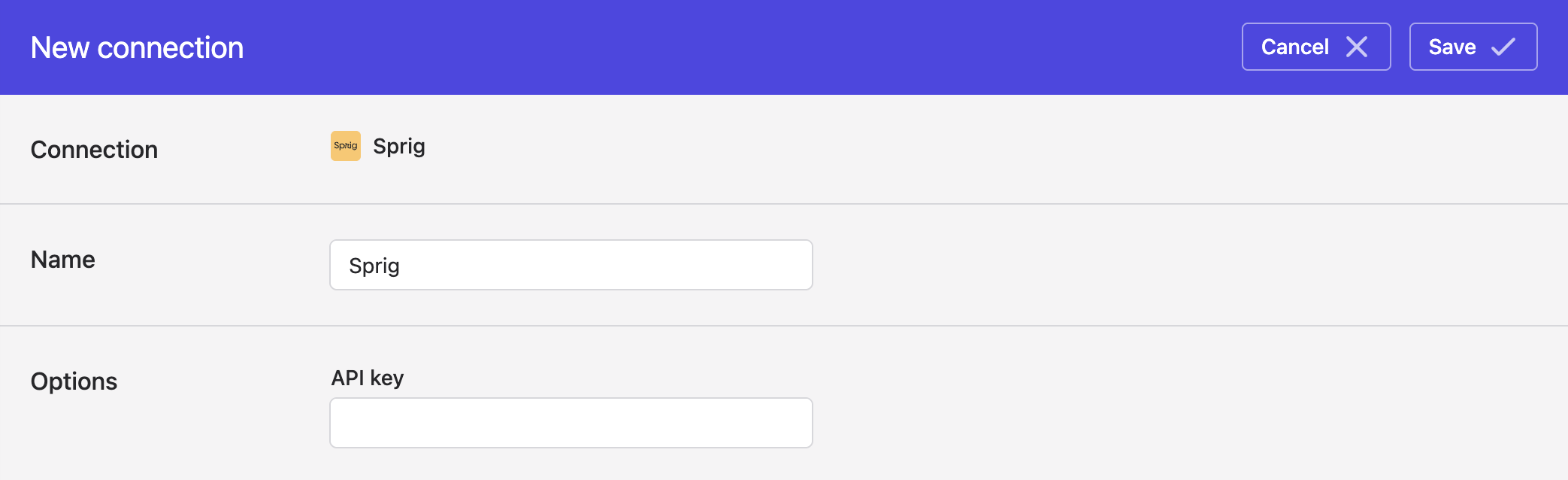
Polytomic connects to Sprig using a Sprig API key:
- Obtain your Sprig API key by going to your Sprig console then **Intergrations ** → Sources → Enrichment → Data Import API. Click on your Environment ID then copy your API key.
- In Polytomic, go to Connections → Add Connection → Sprig.
- Enter your API key from Step 1:
- Click Save.
Syncing to Sprig
Use Model Syncs to sync users to Sprig from your data warehouses, databases, SaaS applications, spreadsheets, cloud storage buckets, and APIs.
Syncing user properties to Sprig
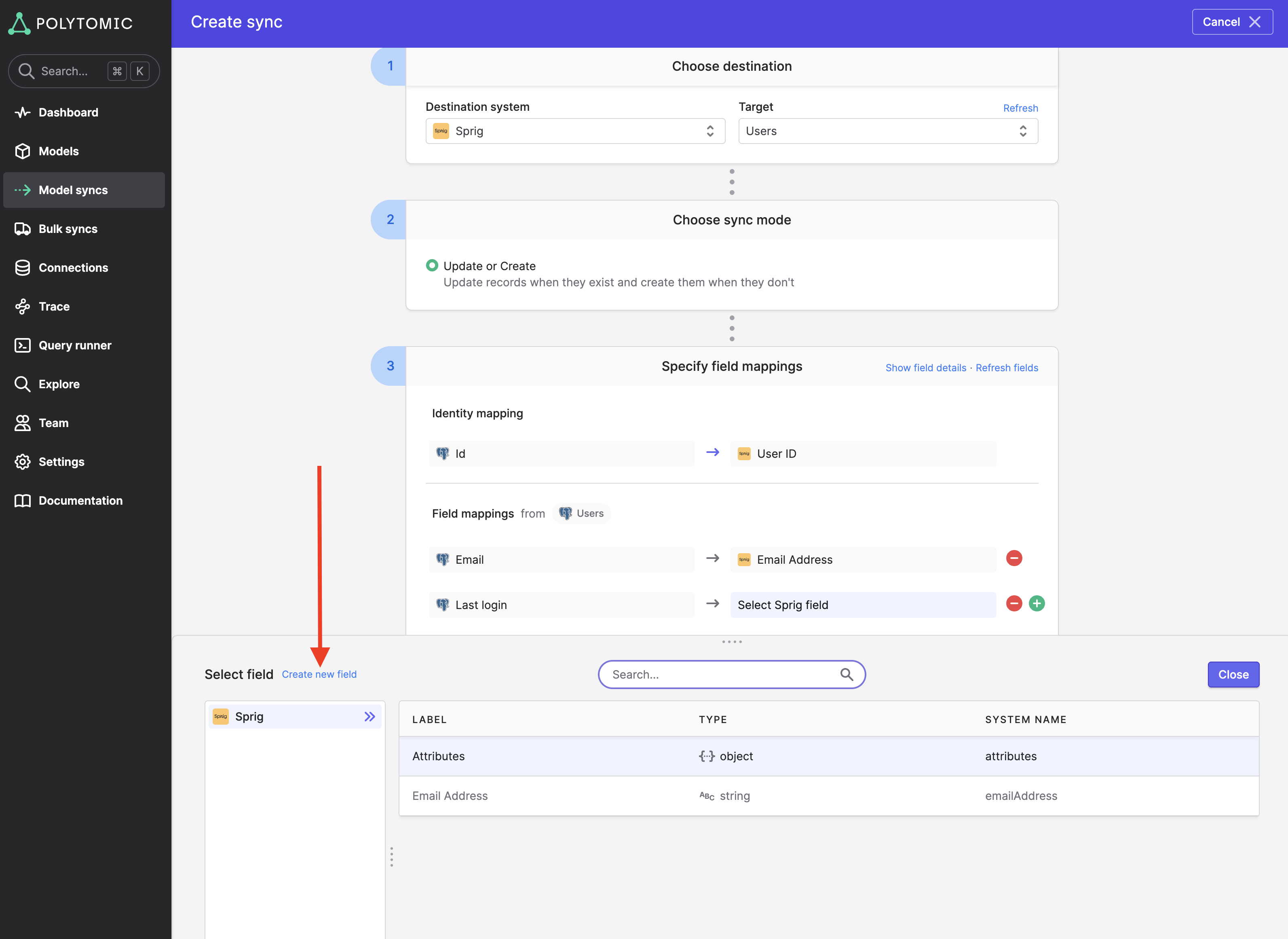
Whilst you can send your user properties to Sprig in a single object mapped to Sprig's attributes field, Polytomic also supports sending your properties as individual fields.
To do that, simply click on the Sprig destination field then click Create new field in the Polytomic field drawer that pops up. That will enable you to create a field with your chosen name on the Sprig user record:
Updated 4 months ago