

Google Search Ads 360
Configuring Google Search Ads 360 with Polytomic On Premises
In order to enable the Google Search Ads 360 integration on your Polytomic on-premises instance, you'll need to do the following:
- Enable the Search Ads 360 API in your Google Console.
- Create an OAuth client in your Google Console.
- Set the credentials from (2) as Polytomic environment variables (note: this will have to be done by the engineer on your team who deployed Polytomic).
See the following section for detailed steps.
Enabling Polytomic's Search Ads 360 integration
-
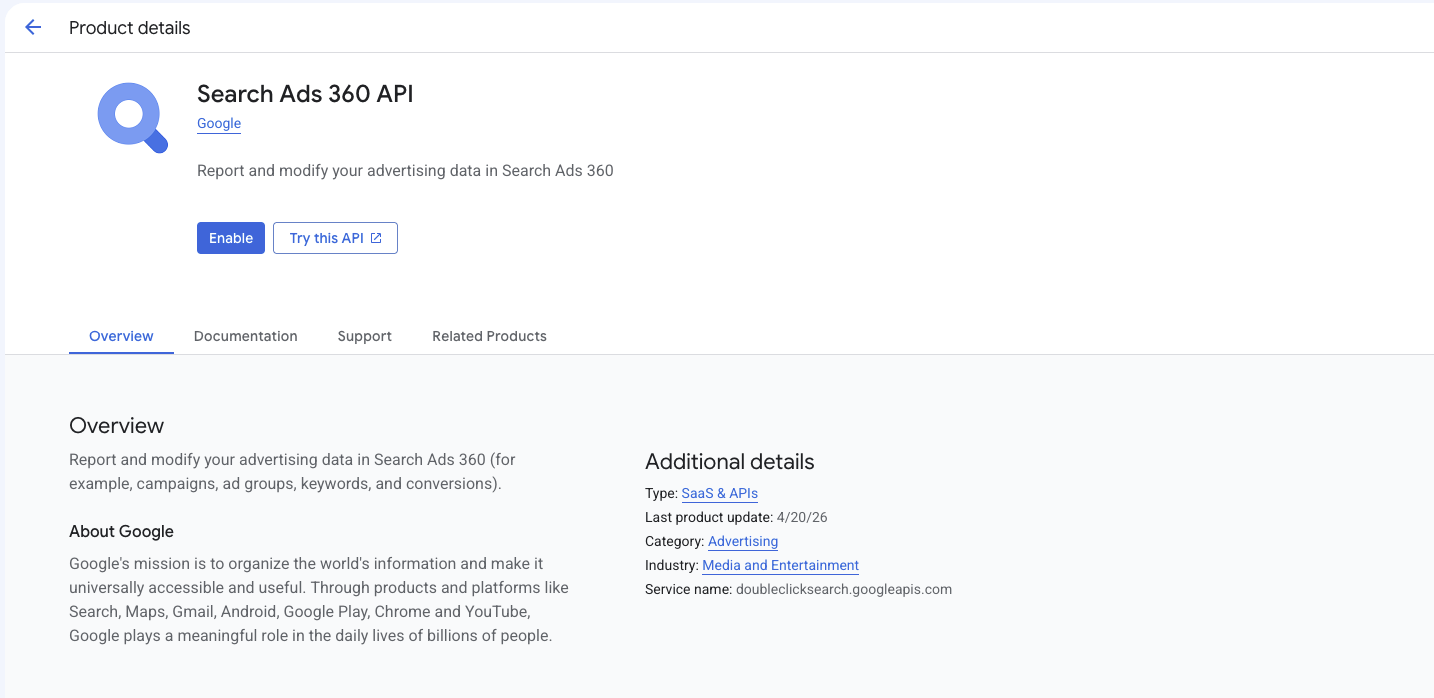
Enable the Search Ads 360 API in your Google Console by going here: https://console.cloud.google.com/apis/library/doubleclicksearch.googleapis.com.
-
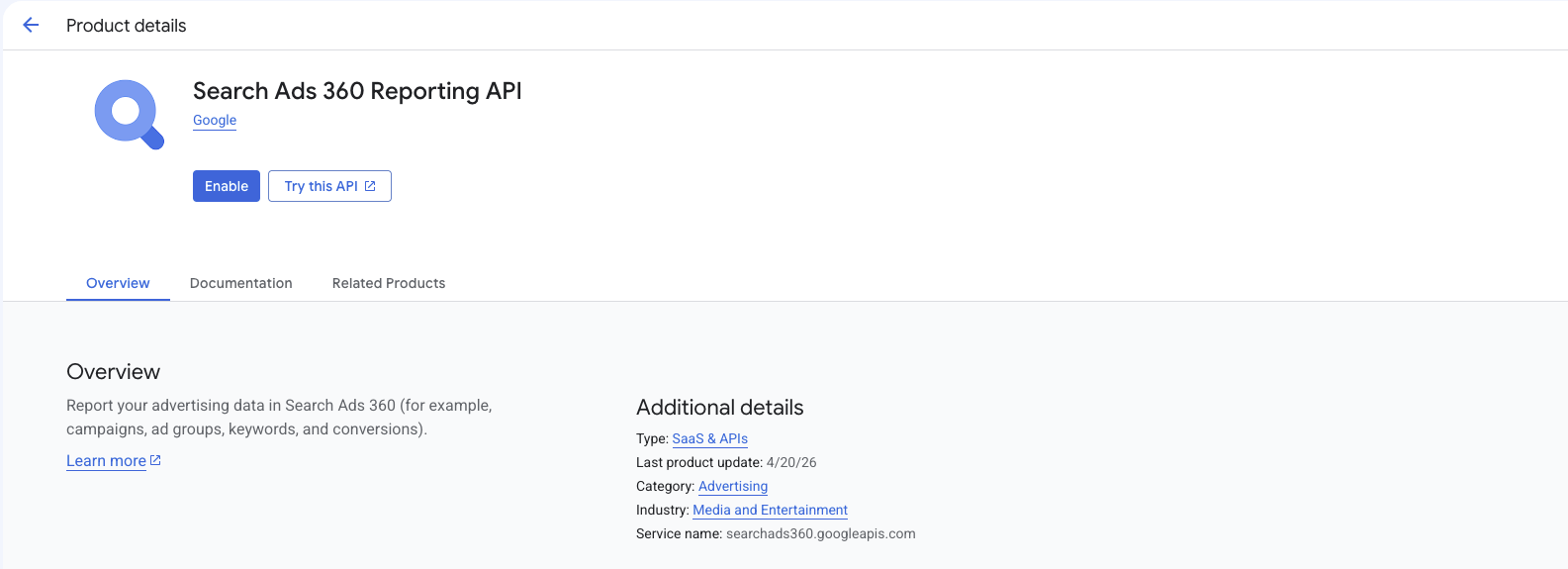
Enable the Search Ads 360 Reporting API by going here: https://console.cloud.google.com/apis/api/searchads360.googleapis.com/metrics
-
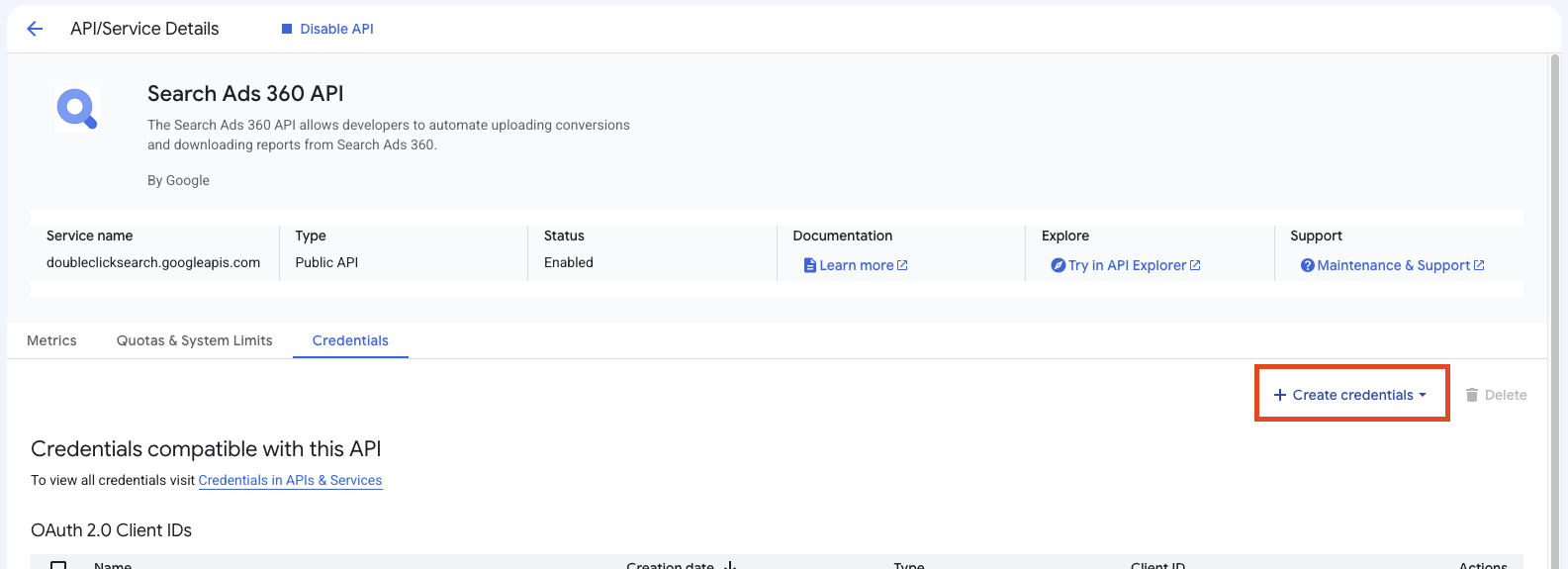
On the Search Ads 360 API page, click Create credentials and select OAuth client ID:
-
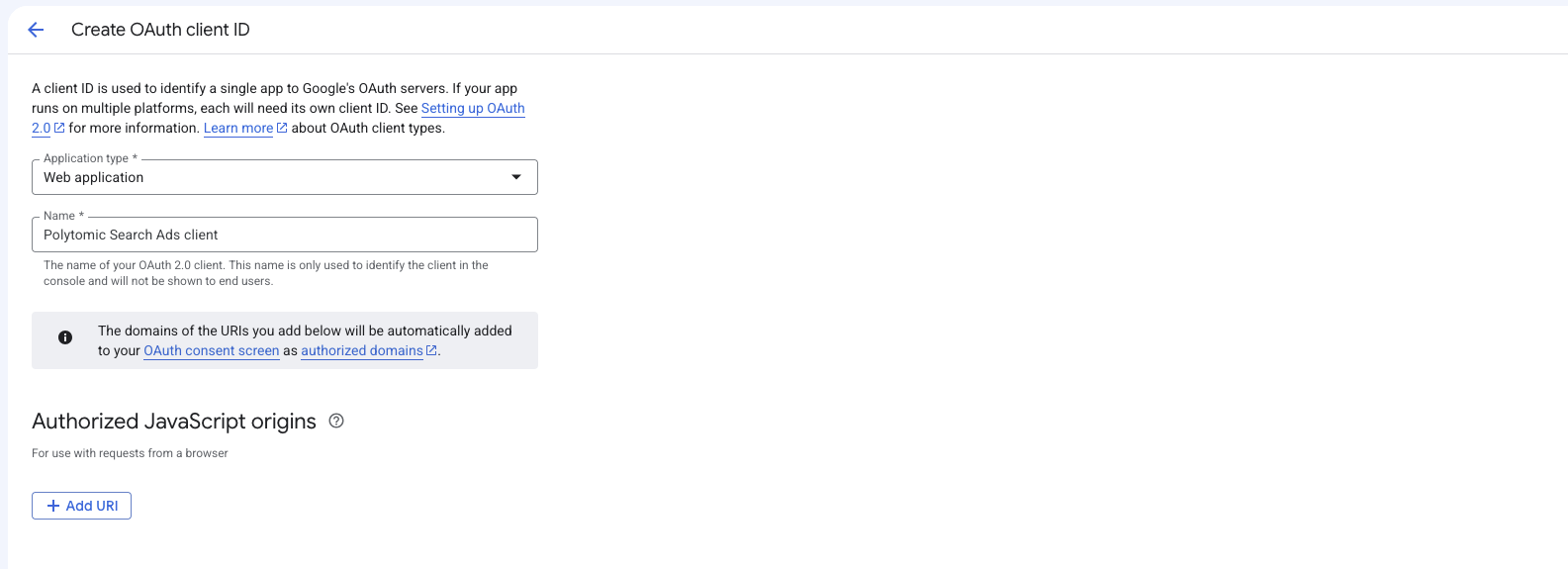
In the OAuth Client ID section, set the following options:
- Application type: Web application.
- Name: Enter any name you want (e.g. 'Polytomic Search Ads 360 client').
- Authorized redirect URIs: Create one entry here to
<Polytomic URL>/connect/google_search_ads_360. For example, if you access Polytomic athttps://polytomic.acmecorp.comthen the entry here should behttps://polytomic.acmecorp.com/connect/google_search_ads_360.
Click Create:
- Download your credentials and note the
client_idandclient_secretvalues shown.
- Ask the engineer on your team that deployed Polytomic to carry out this step. Set the following environment variables in the Polytomic deployment:
GOOGLE_SEARCH_ADS_360_CLIENT_ID: set this to the client ID from step 6.GOOGLE_SEARCH_ADS_360_CLIENT_SECRET: set this to the client secret from step 6.
Restart your Polytomic environment so that it picks up these environment variables.
- You'll now see the Search Ads 360 integration as a connection option in Polytomic.
Updated 3 months ago