

Cancelling running syncs
Depending on the granularity you desire, there are three ways for you to cancel running bulk syncs:
- Cancel all running executions within a sync (recall that Polytomic can run multiple executions in parallel, so if a set of tables is still running at your scheduled sync time, the remaining tables won't be blocked from updating).
- Cancel a specific running execution.
- Cancel a specific table within a running execution.
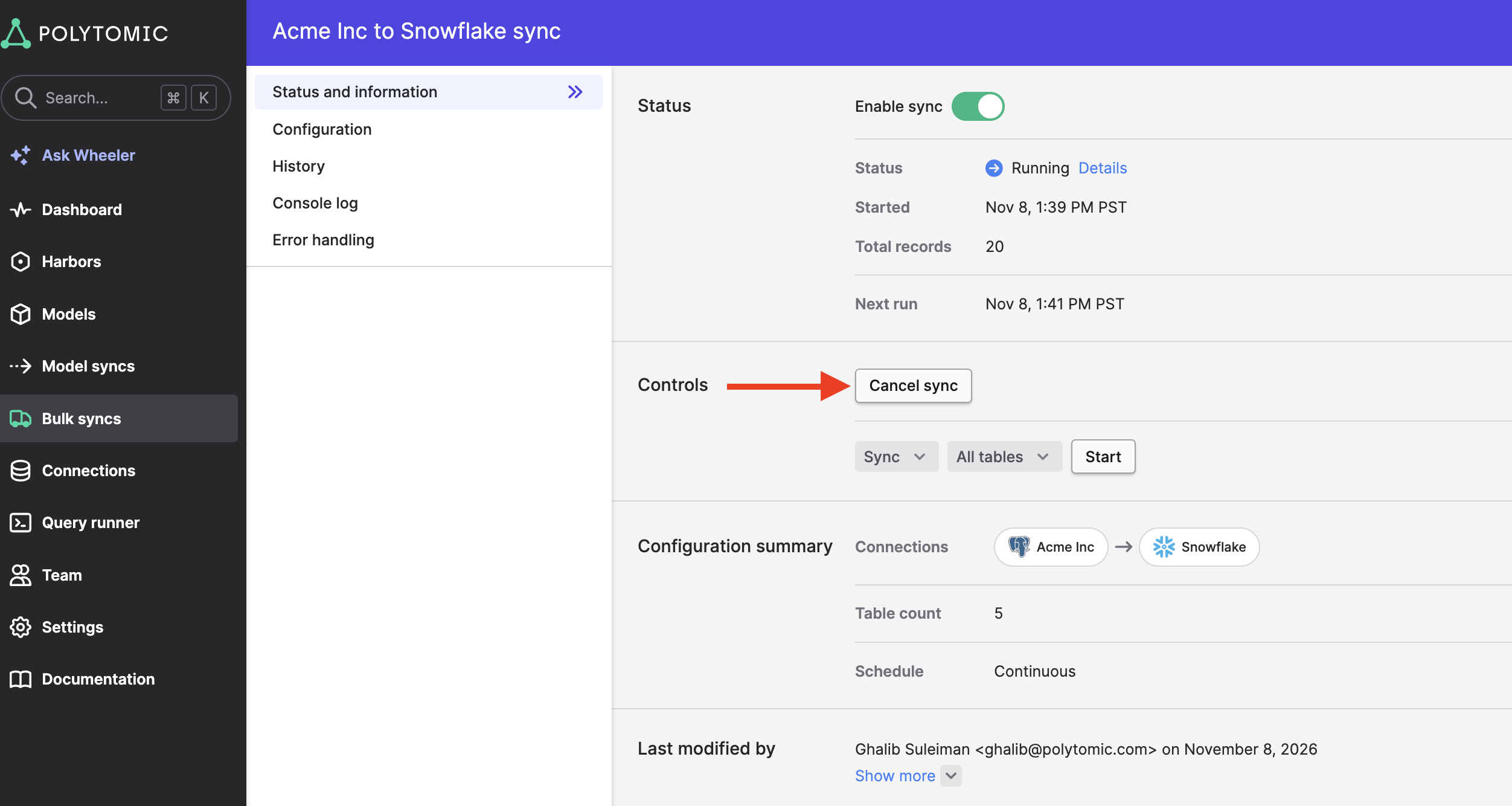
Cancel all running executions
You can cancel all running executions for a particular bulk sync by clicking on the Cancel sync button on the sync status page:
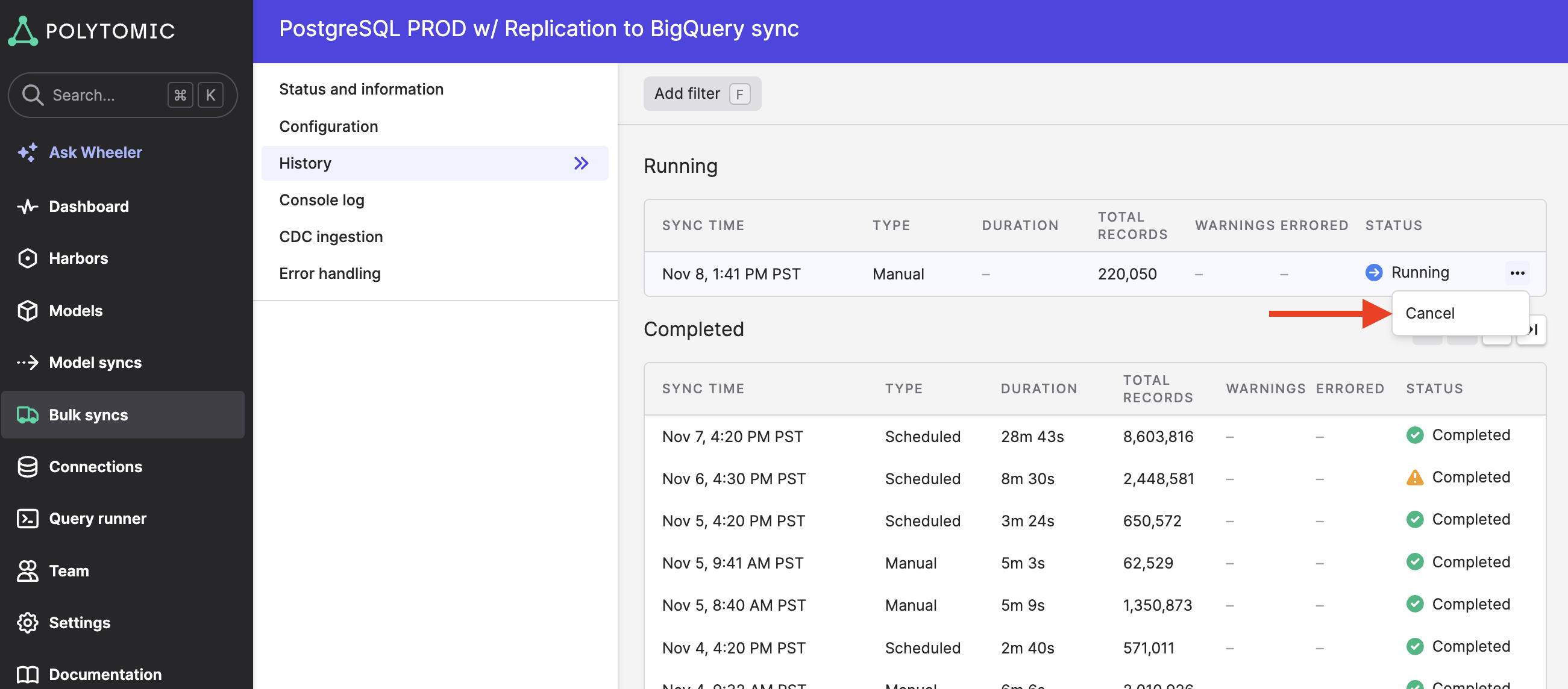
Cancel a specific running execution
You can cancel a specific running execution by going to your bulk sync's History page and clicking Cancel on the row of the execution you want to cancel:
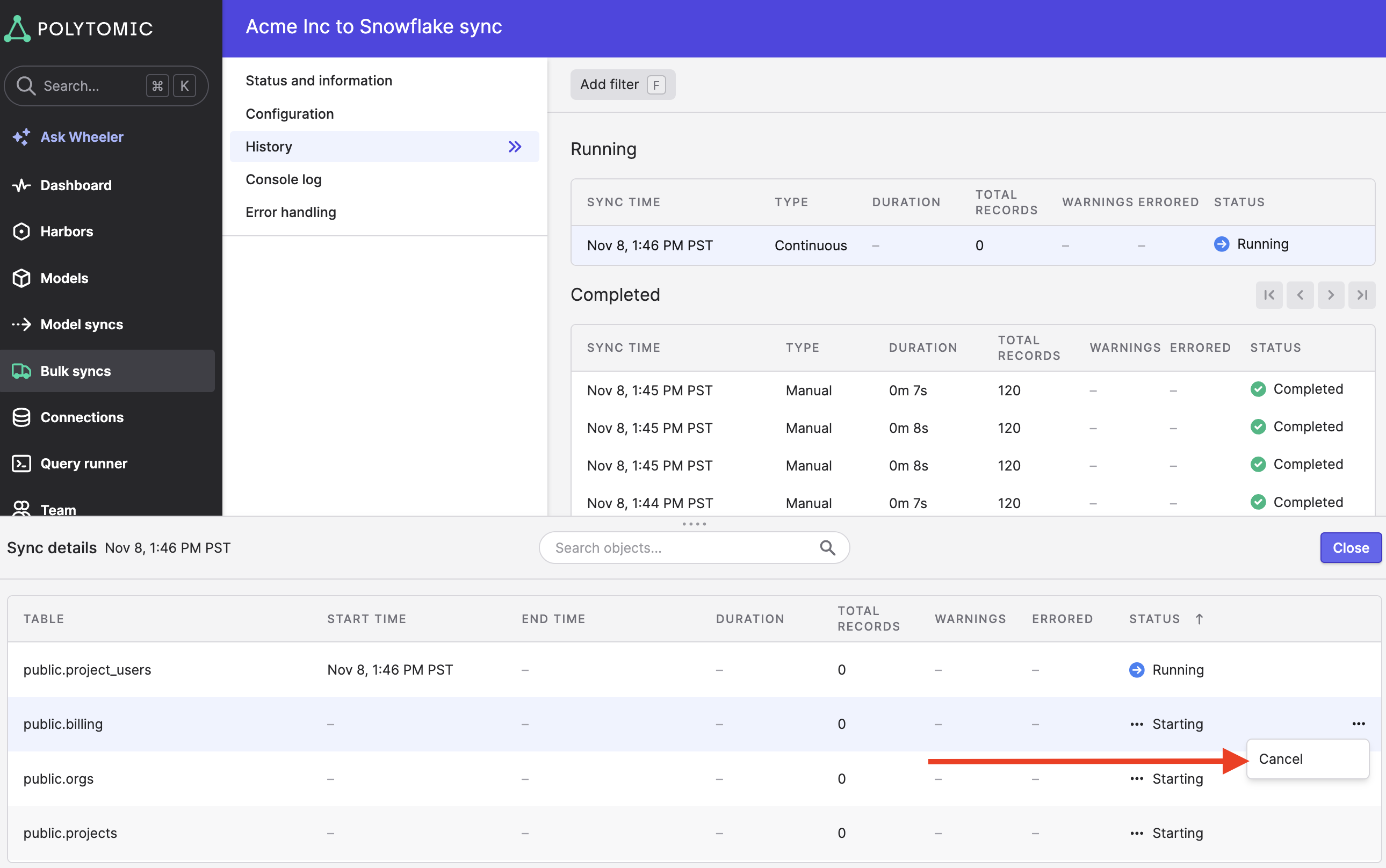
Cancel a specific table within a running execution
You can cancel a specific table's update within a specific execution by clicking on that execution in the History page then clicking the Cancel button on the table whose update you want to cancel:
Updated about 5 hours ago