

Managing Salesforce API consumption
Polytomic offers a few ways to manage its Salesforce API consumption.
Number of API calls in last 24 hours
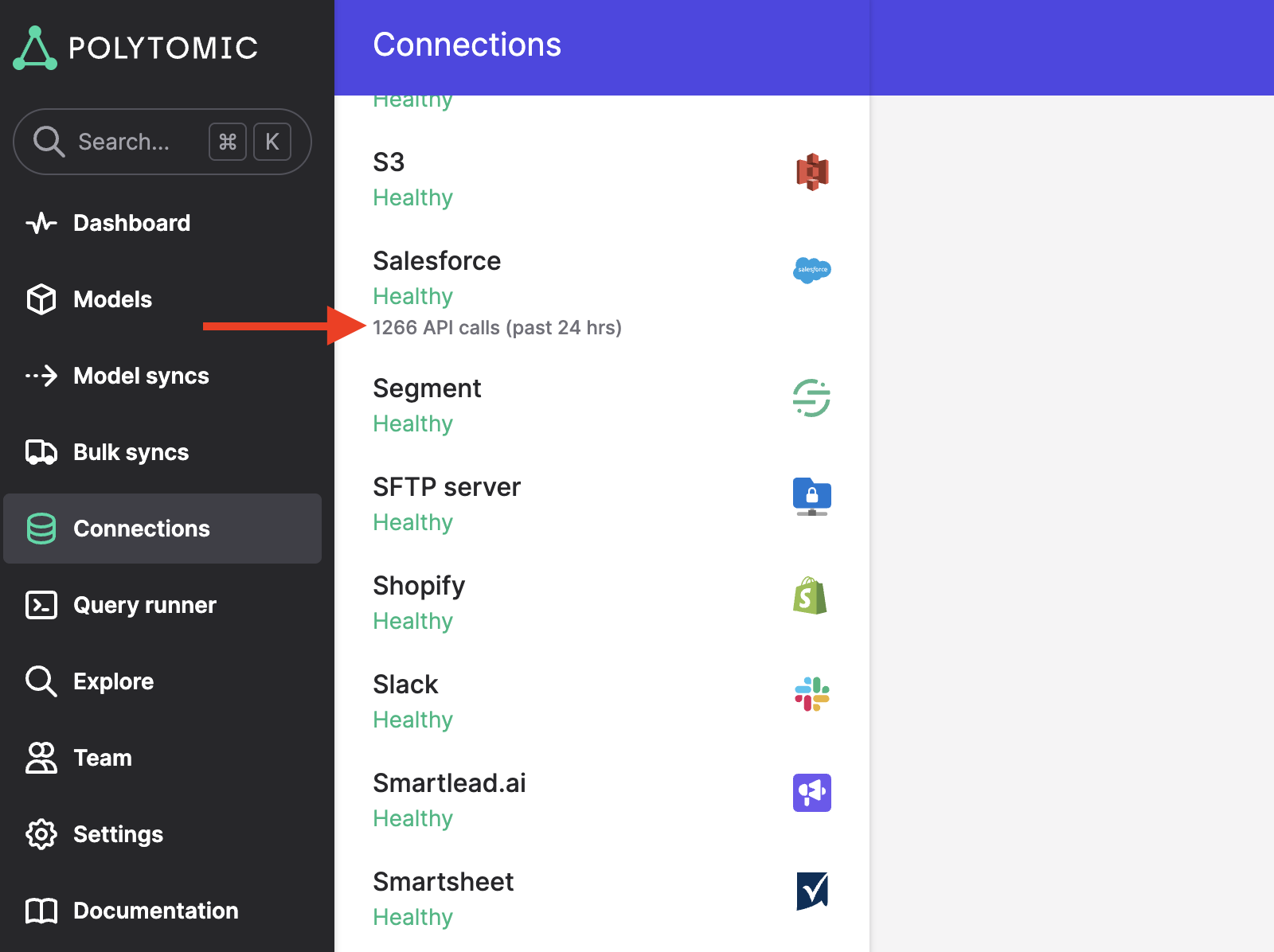
You can see the number of Salesforce API calls consumed by Polytomic by going to the Connections tab and seeing this number on your Salesforce connection:
Set your own daily API call limit
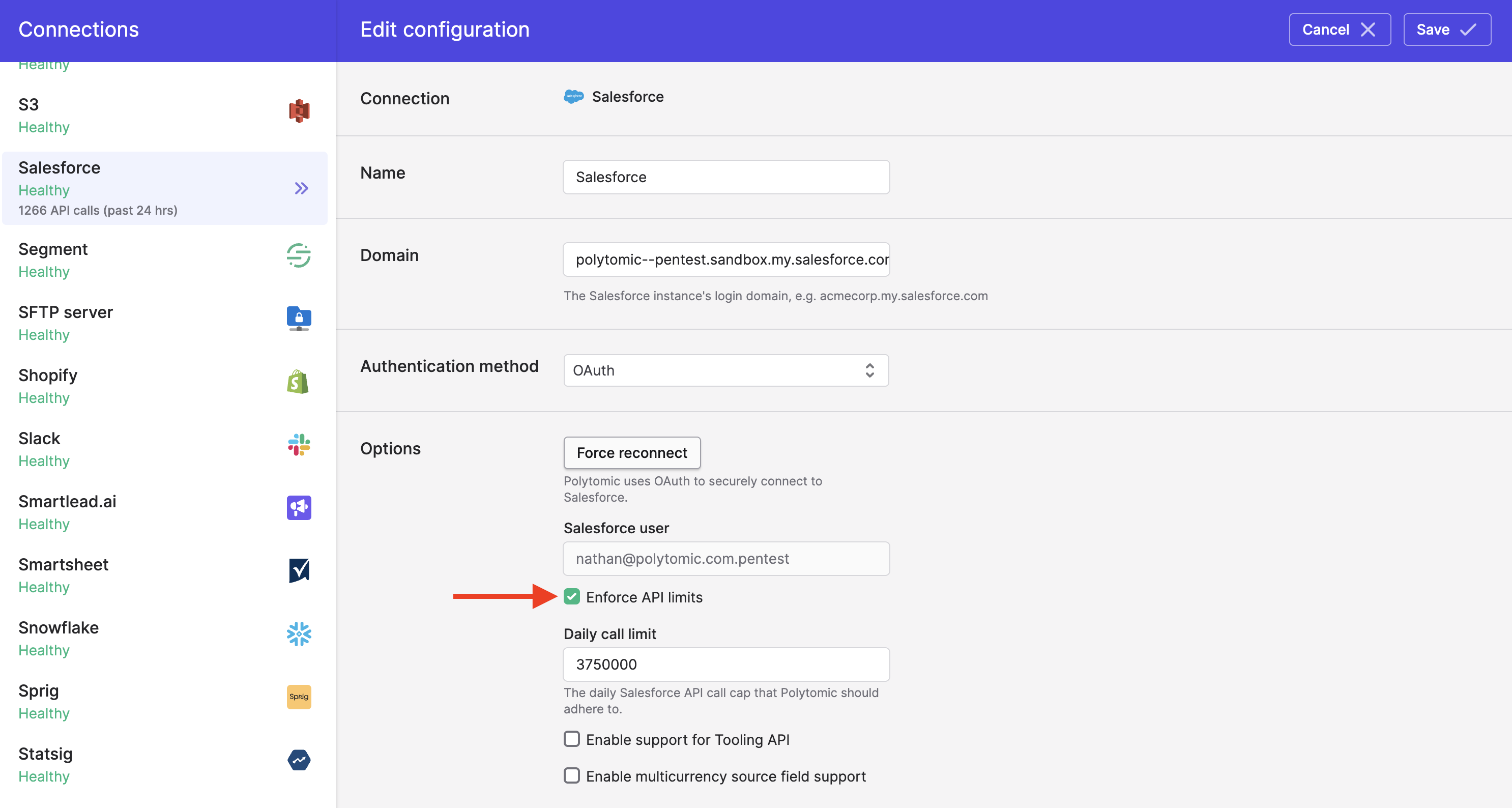
By default, Polytomic will allow itself to consume up to 80% of your daily Salesforce API quota. Once it hits this limit, it will pause Salesforce operations until the quota resets the next day.
You can also set your own daily API call limit for Polytomic by clicking into your Salesforce connection and toggling the Enforce API limits setting:
See number of API calls per sync
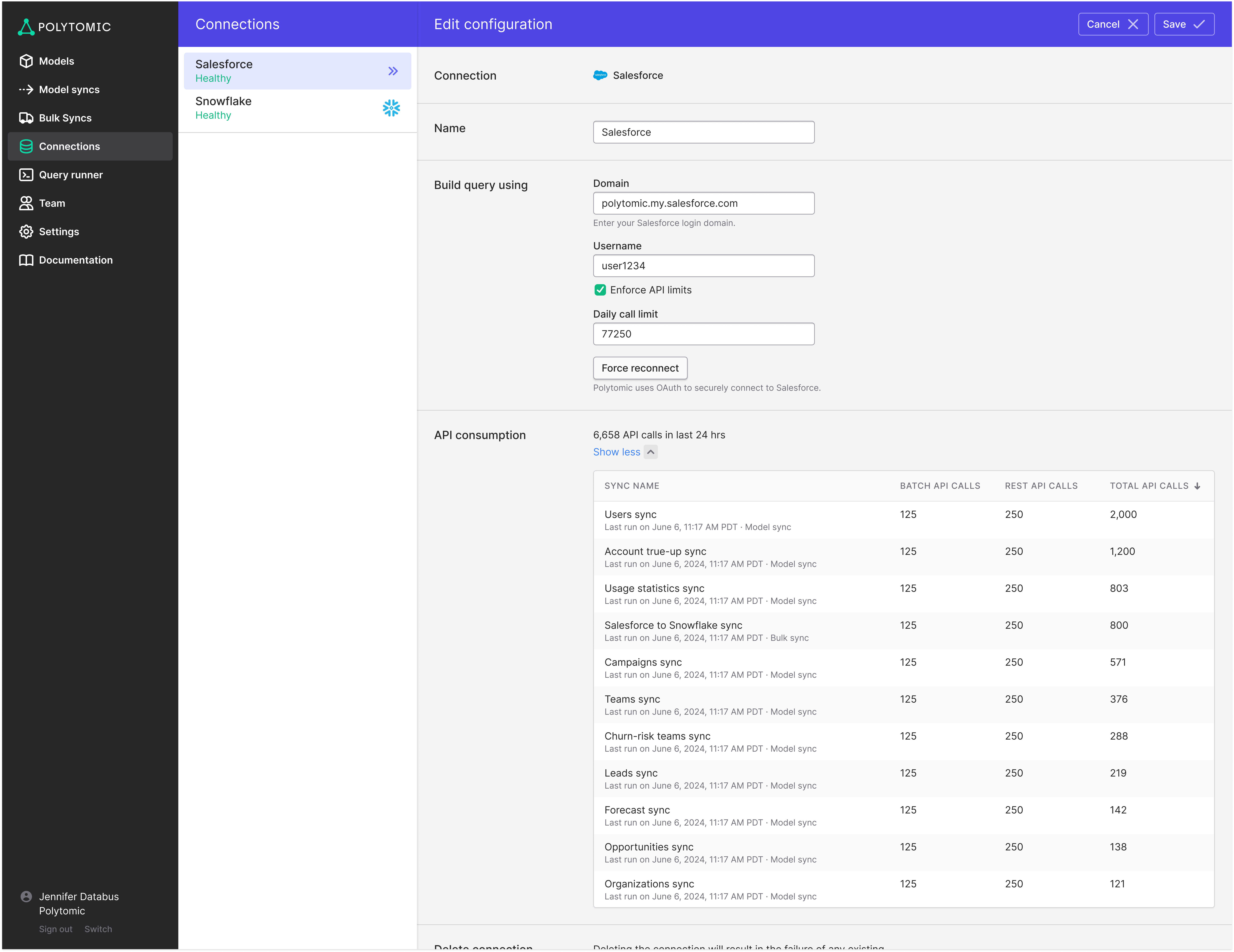
You can see the number of API calls consumed per Polytomic sync in the past 24 hours by going to the API consumption section of your Salesforce connection page. This data is also available through our API using the Get Connection Usage endpoint and through your AI agents using our MCP server :
Updated 3 months ago