

Syncing to Salesforce
Relationships, identity matching, Delete mode, and advanced settings
Polytomic writes to Salesforce as the connected Salesforce user. That user must be able to create, edit, or delete records on each object you sync to, depending on the sync mode. See Salesforce user permissions.
Empty identity values
In Create or Update or Create mode, Polytomic accepts null identity values when your destination identity is Salesforce's Id field or a calculated field. For other identity fields, Polytomic filters out records with empty identity values.
Null identities create new recordsAn accepted record with a null identity creates a new Salesforce record if it meets Salesforce's validation requirements. Polytomic cannot use that null identity to match an existing record.
Setting relationships between objects
When syncing to a Salesforce object, you can set relationships to other objects in the same sync. For example, you may create a User record that needs a relationship to a corresponding Usage Statistics custom object.
To set a relationship, map to a find by field. These target fields exist only for setting relationships. Polytomic finds the related object by the field value you sync, then sets the relationship to it.
In the screenshot below, a sync to Contacts also sets each Contact's relationship to an Account, found by the Account's Id field:
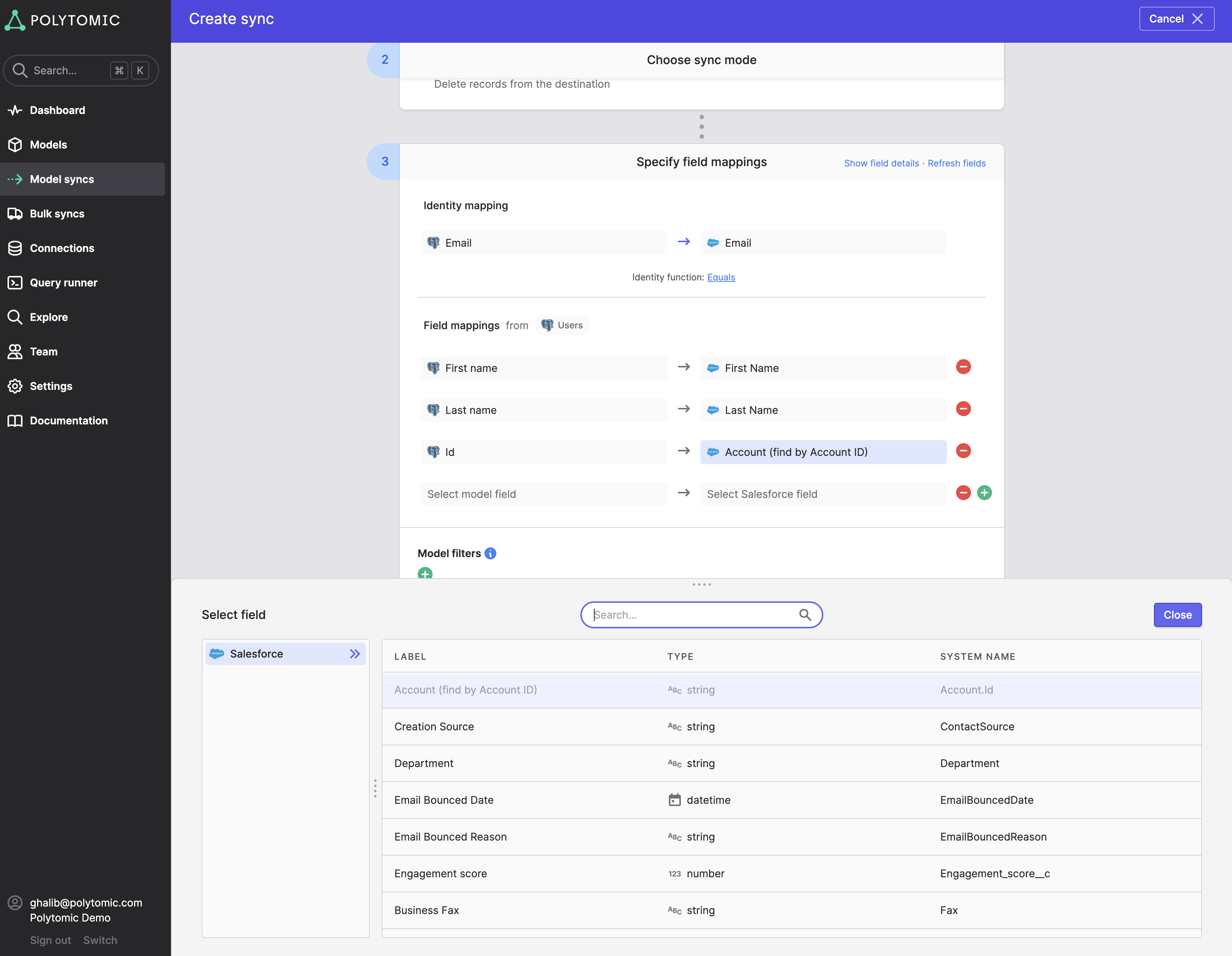
Ordinary reference fields, such as a Contact's AccountId, accept one related record. Some destination fields, such as EmailMessage.ToIds, accept arrays of IDs. Map an array only when the destination field supports multiple records.
Relationship lookup keysChoose one of the find-by fields Polytomic lists for the relationship. For a custom lookup key, mark the field on the related object as an External ID in Salesforce. Some standard fields support lookups without that setting. You can also set a reference field directly with the related record's
Id.
Invalid relationship values
Your source data may contain relationship values that don't match a related record in Salesforce. By default, a relationship error returned by Salesforce fails the whole record. Polytomic logs the error and continues syncing the rest.
Null relationship values follow the Copy null values setting and Salesforce's field requirements. They don't always cause a relationship error.
To change this, go to Advanced settings in your sync configuration:
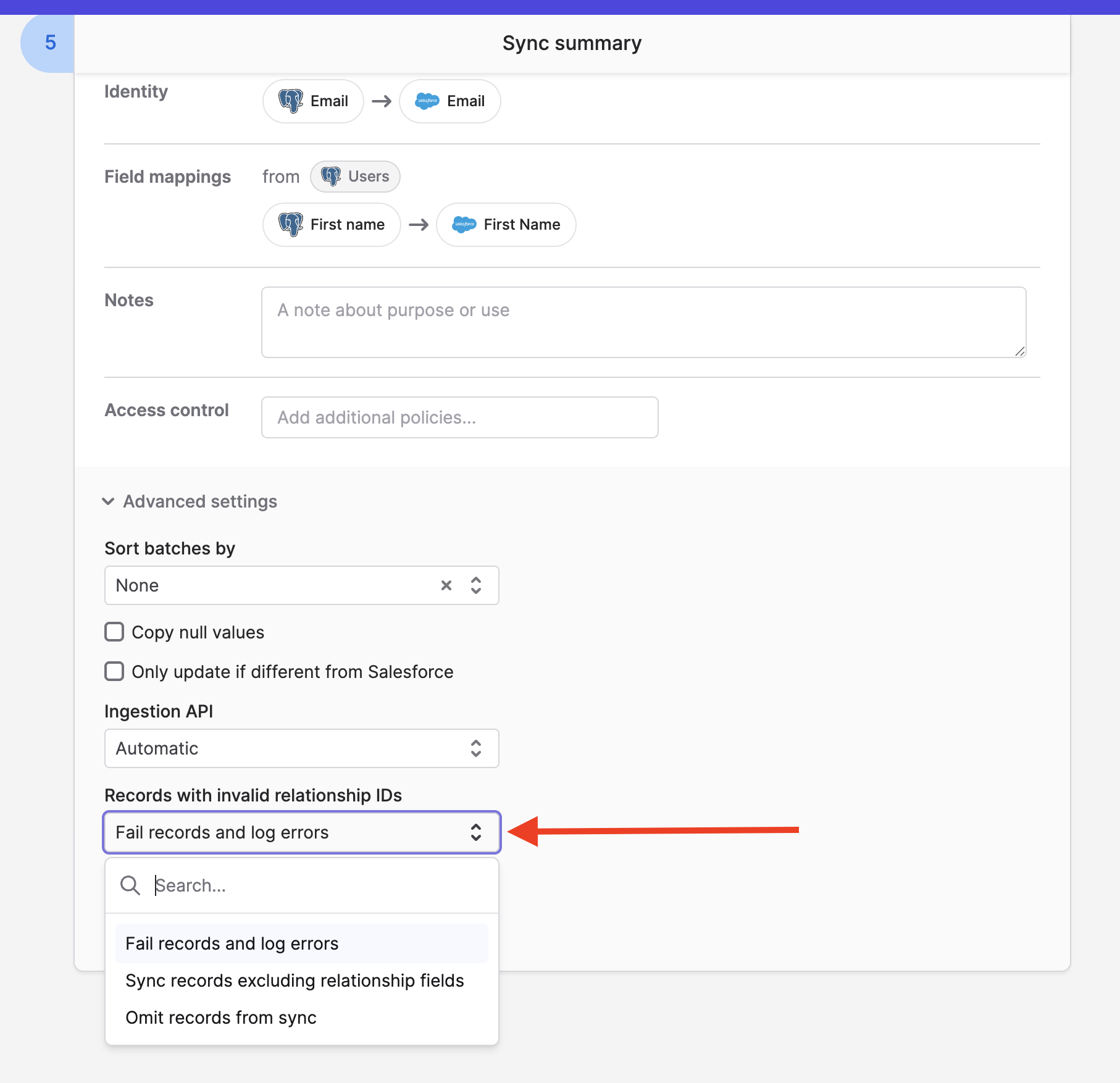
The options are:
- Fail records and log errors (default): Polytomic marks the record as an error and adds it to the sync's error log.
- Sync records excluding relationship fields: Polytomic checks the relationship values and omits unresolved relationship fields before syncing the record. Non-empty unresolved values appear as warnings.
- Omit records from sync: Polytomic skips records with recognized external-ID lookup failures and reports those failures as warnings. Other Salesforce errors, including other invalid-ID errors, may still fail the record.
Identity mapping function
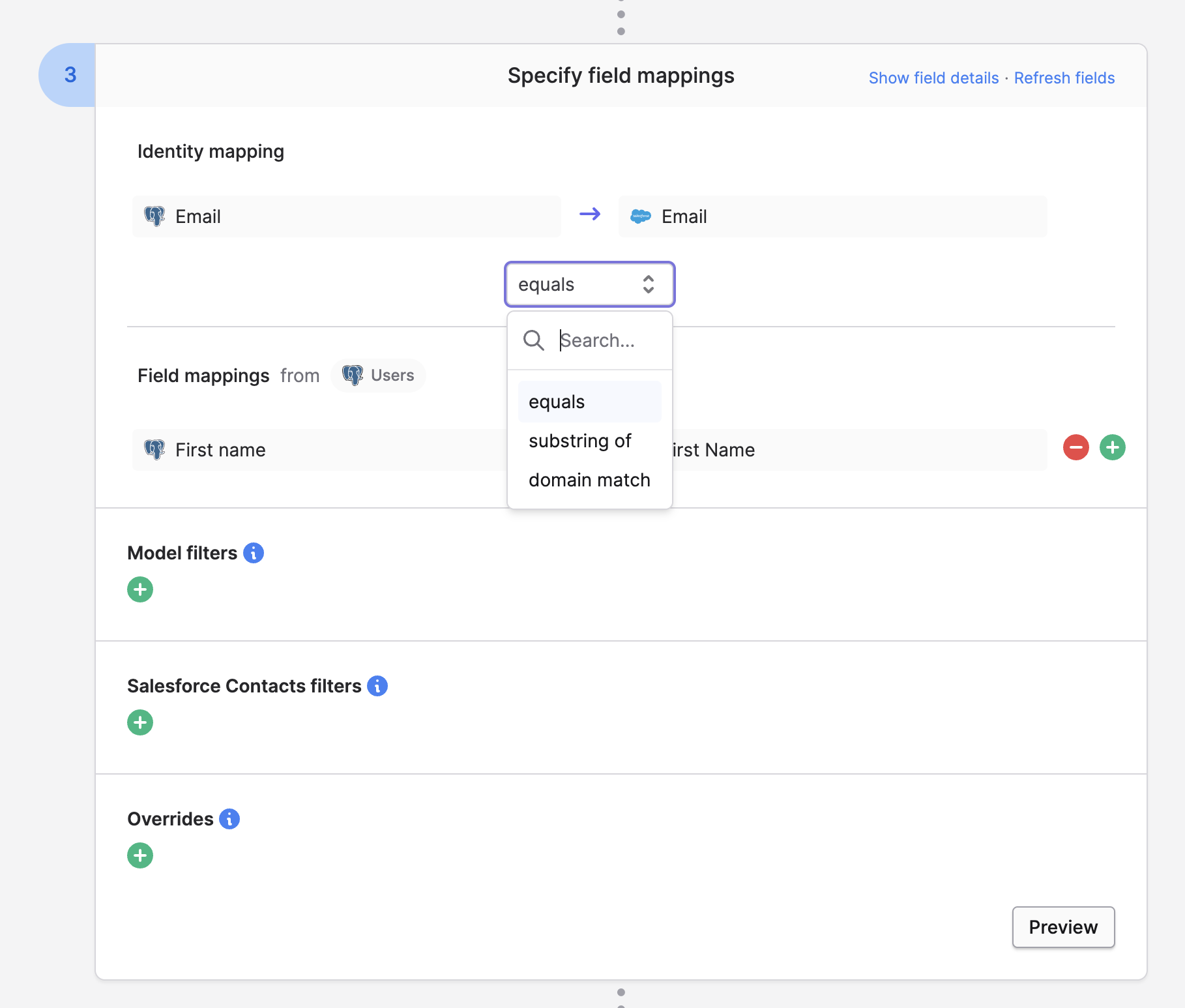
By default, Polytomic uses Equals for your identity mapping. For eligible Salesforce string fields other than Id, you can choose these alternatives:
| Function | Behavior | Sync modes |
|---|---|---|
| Substring of | Matches when the Salesforce identity contains your source identity value. | Create, Update, Update or Create |
| Domain match | Compares web domains, ignoring subdomains. Requires a string source identity. | Create, Update, Update or Create |
| Hostname match | Compares hostnames, preserving subdomains. Requires a string source identity. | Create, Update, Update or Create |
| One of | Matches a Salesforce identity against any value in a source array. | Update |
Domain match compares web domains. If your source identity values are domains, such as acme.com, and your Salesforce values are URLs, such as https://www.acme.com, domain match pairs them.
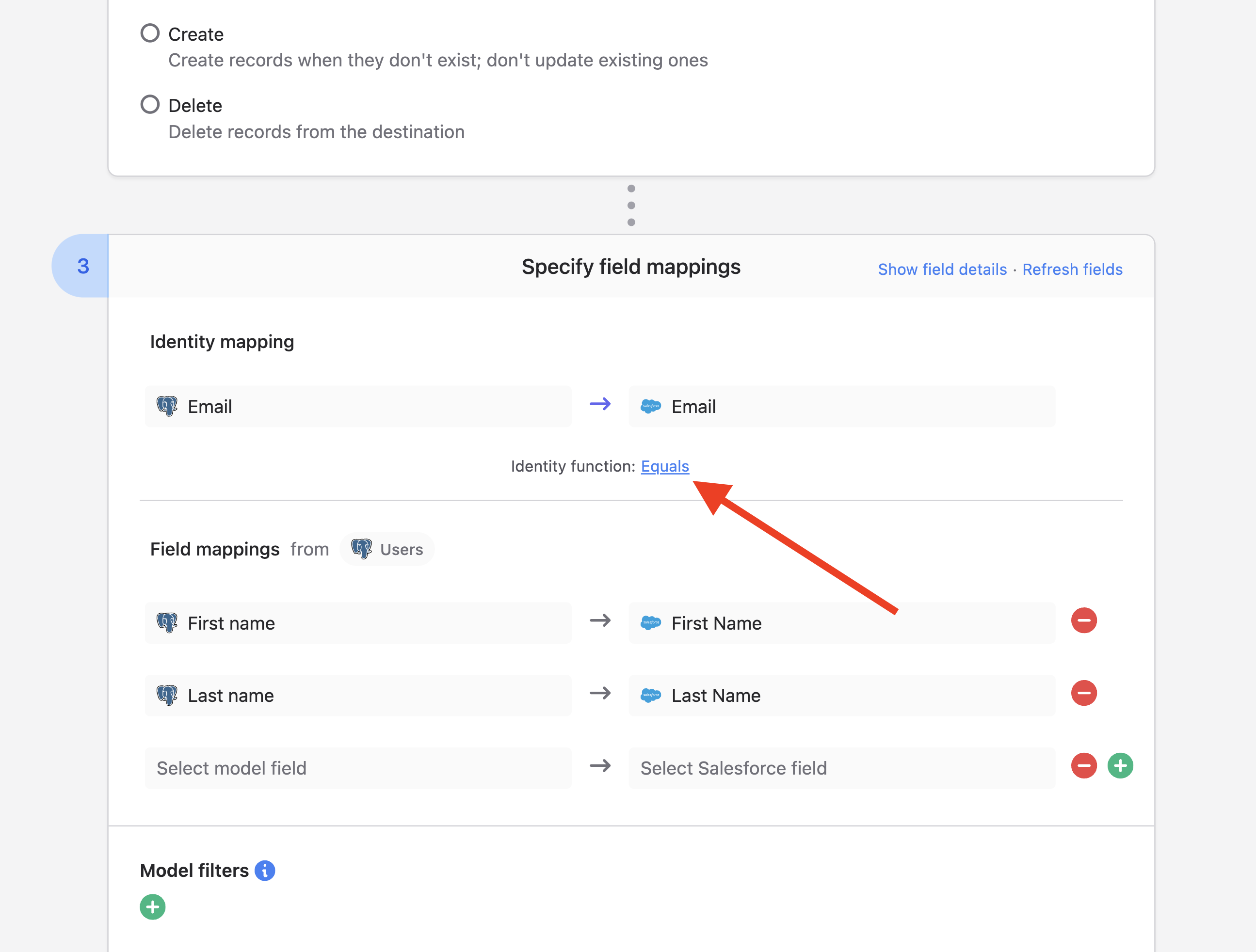
After you set your identity mapping, click Equals to change the matching function:
Delete mode
Polytomic supports a Delete mode when syncing to Salesforce. The Salesforce user must have the Delete permission on the object.
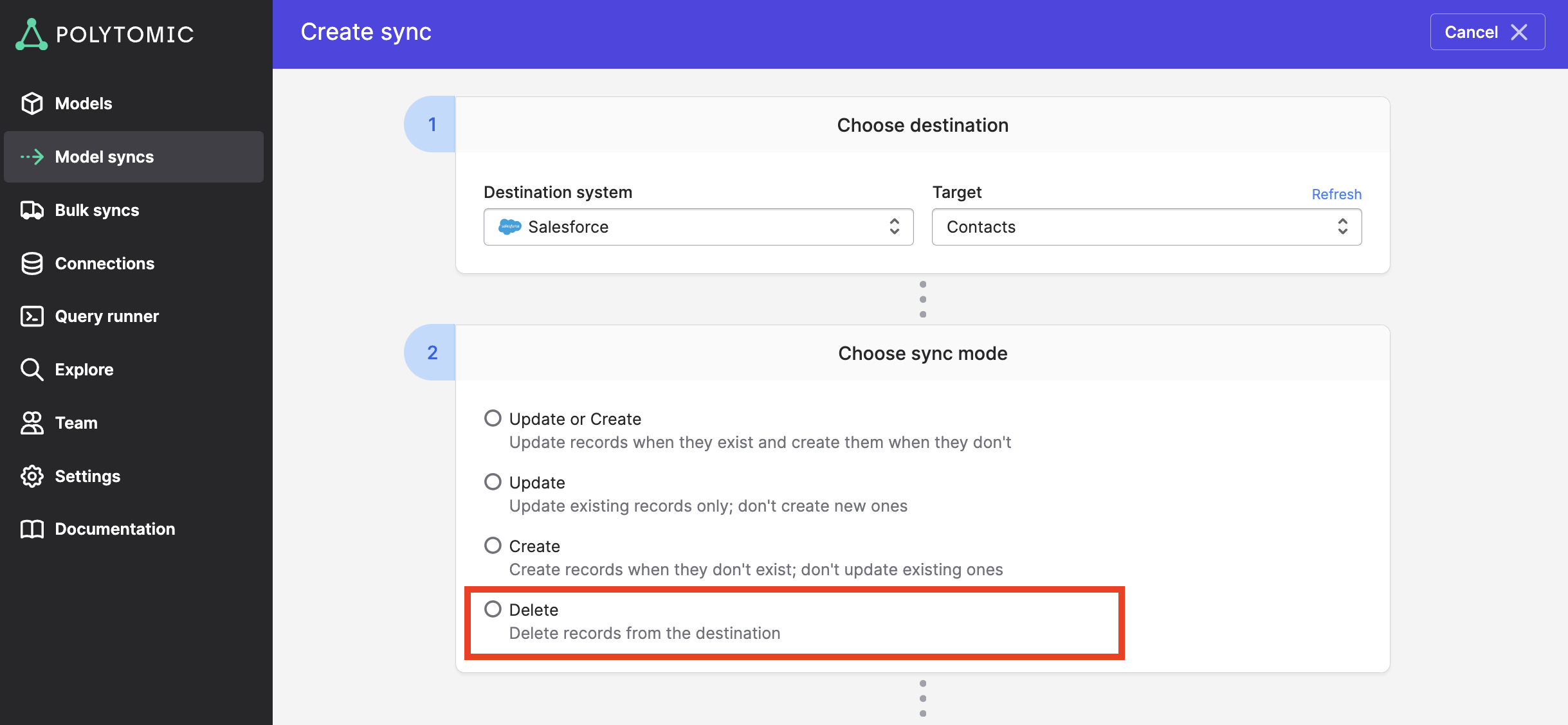
Delete mode deletes Salesforce recordsPolytomic deletes Salesforce records matched by the source records processed in that run, subject to your filters.
You choose what to delete as in any other sync: set your identity mapping and any filter conditions. Other field mappings aren't needed in this mode.
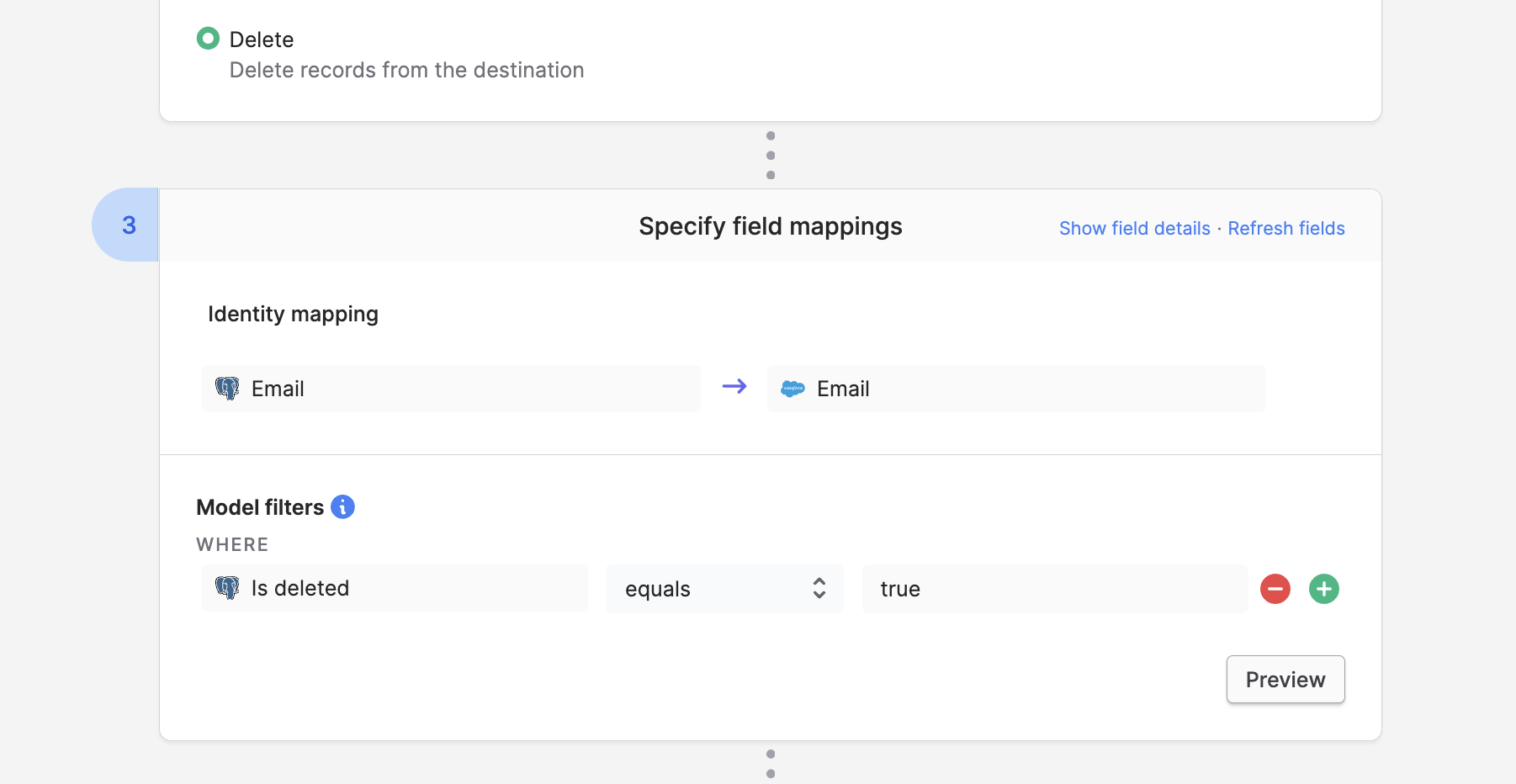
In the example above, Polytomic deletes Salesforce Contacts matched by source records processed in the run when both conditions hold:
- The Contact's
Emailmatches theEmailfield of a source record. - That source record's
Is deletedfield istrue.
Advanced settings
You can override these settings at the bottom of your sync configuration:
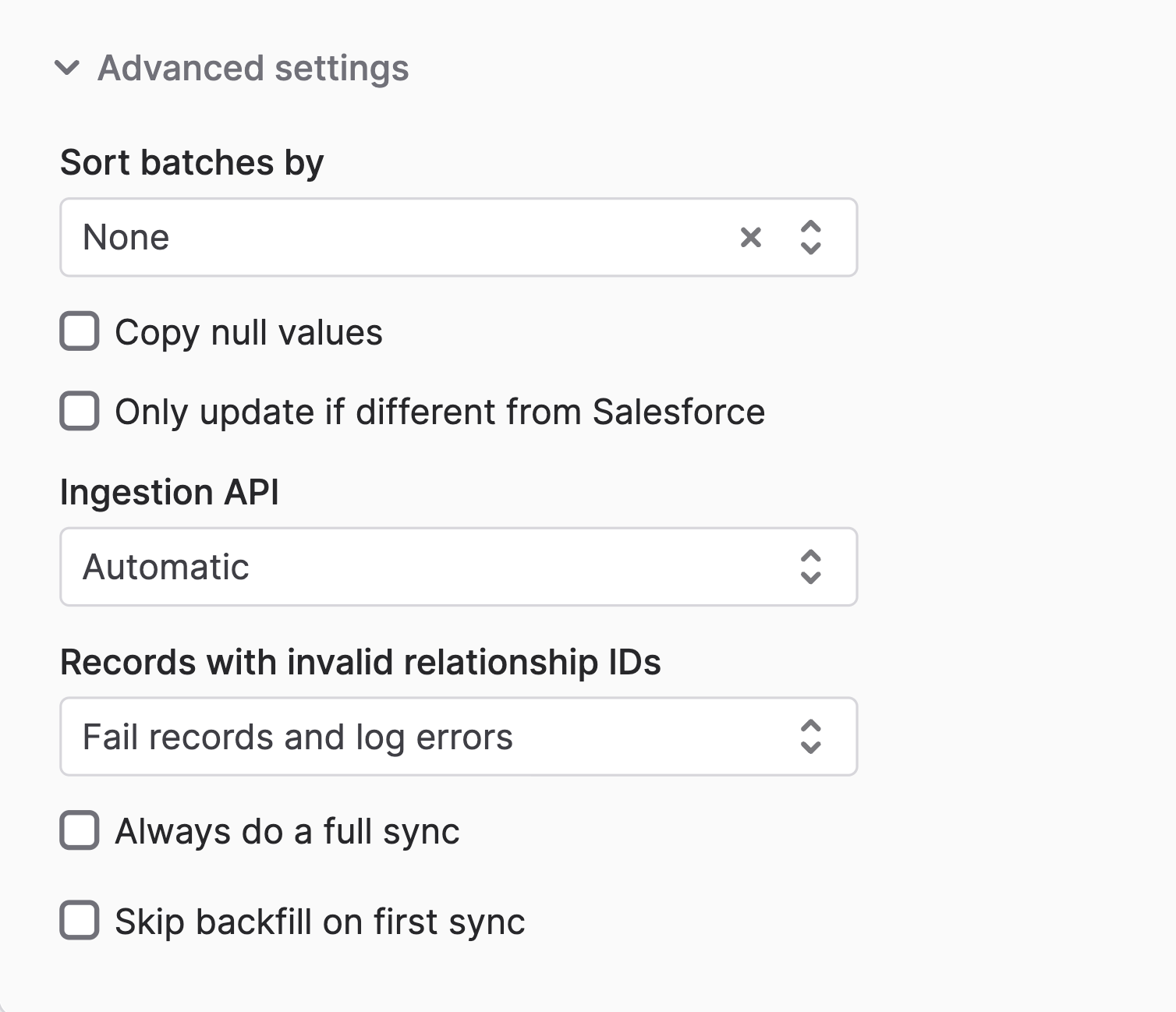
Sort batches by (default: None)
This setting is available for Contacts, sorted by Account ID, and Campaign Members, sorted by Campaign ID. The default is None. Use it to group records by their related Account or Campaign when sending batches to Salesforce.
Copy null values (default: off)
By default, Polytomic omits null source values for nullable Salesforce fields. When you turn this on, Polytomic sends those values as null to clear the fields.
Fields that cannot store null follow different rules. With this setting off, Polytomic may send the field's default or a zero value for an empty source value. With this setting on, a null for a non-nullable boolean becomes false. Other fields still have to meet Salesforce's validation requirements.
Explicit null overridesA static
{{ null }}override explicitly clears a nullable field even when Copy null values is off. This also applies to nullable relationship fields.
Only update if different from Salesforce (default: off)
By default, Polytomic writes every mapped field when it updates a record, even if the value hasn't changed. This is usually harmless. It matters if your Salesforce organization has an automation that runs whenever a field is written, even with an identical value.
When you turn this on, Polytomic compares the mapped values with Salesforce and skips the update if they all match. If any value differs, Polytomic sends the mapped update fields, including unchanged values. These comparisons can require additional Salesforce reads and API calls.
Ingestion API (default: Automatic)
Salesforce accepts data through its Bulk APIs, suited to large datasets, and its REST API, suited to small ones. With Automatic, Polytomic picks the API based on your data volume.
You can force a specific API, but most workloads don't need to.
Records with invalid relationship IDs (default: Fail records and log errors)
See Invalid relationship values.
Always do a full sync (default: off)
By default, Model Syncs are differential: each run syncs only records that are new or changed since the last run. If your Salesforce organization needs every record synced on each run, turn this on.
Skip backfill on first sync and resyncs (default: off)
A Model Sync normally processes all eligible source records on its first run and on a resync. Later runs are differential.
Turn this on to skip existing source records on the first run and on resyncs. Polytomic then syncs future changes.
Updated about 12 hours ago