

Syncing from Salesforce
Formula fields, Tooling API objects, and history cutoffs
Polytomic syncs the Salesforce objects and fields that the connected Salesforce user can read. See Salesforce user permissions.
Formula fields
Polytomic syncs Salesforce formula and rollup fields like any other field. In the destination, including data warehouses, they appear as ordinary columns holding the calculated value. You don't need to parse or recombine them.
This applies to every formula field type, including numeric, currency, date, and text.
Some formula values change without an update to the record's SystemModstamp, such as formulas that depend on the current time or related records. These fields may need additional reads to stay current.
Polytomic can sync rollup fields and formulas that depend only on the record's own values incrementally. Rollup recalculation updates the parent's SystemModstamp. Support for incrementally syncing other formulas depends on their inputs and the capabilities available for your Connection.
For large Salesforce organizations, that extra reading can make each sync too slow. In that case, choose the Per field type schedule option for your Bulk Sync:
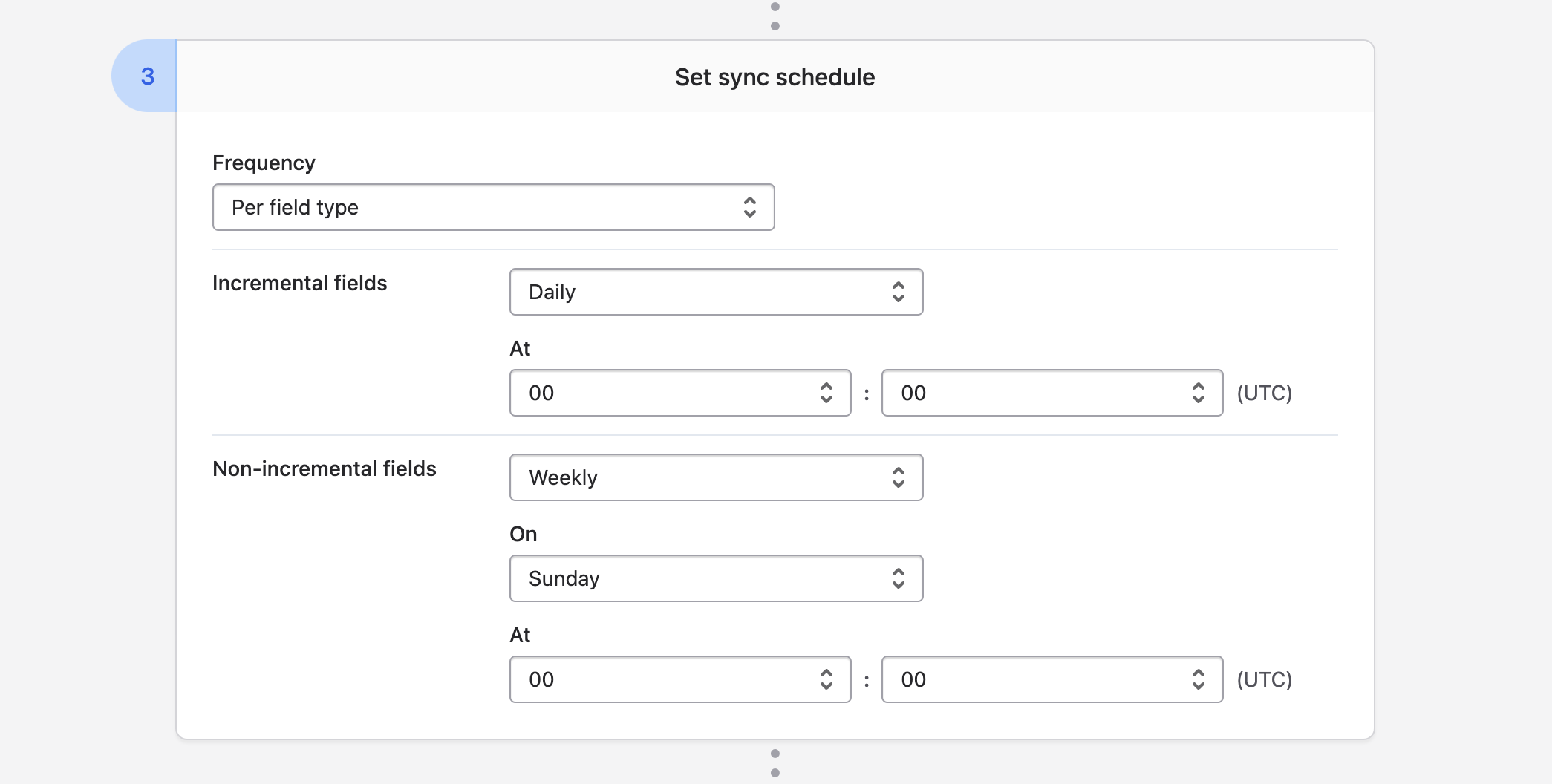
This sets up two schedules:
- The Incremental fields schedule keeps fields that support incremental updates current. These include rollup fields and supported formula fields.
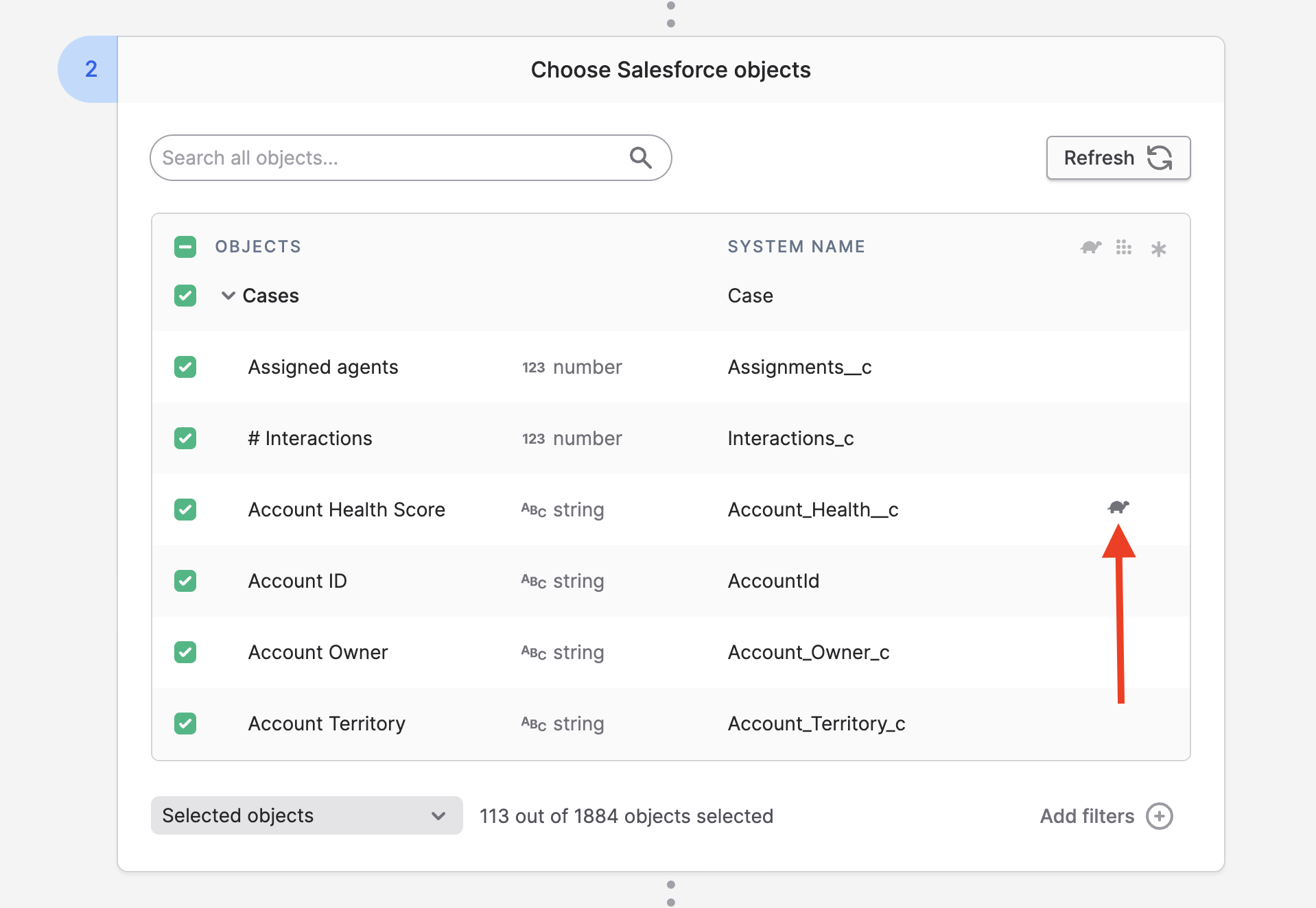
- The Non-incremental fields schedule refreshes objects with selected fields that need additional reads. Polytomic marks these fields with a tortoise icon, shown below. Use this schedule to catch up on changes that the incremental schedule doesn't capture.
Tooling API objects
Polytomic can sync the metadata objects behind Salesforce's Tooling API, such as EntityParticle. To list them in your Salesforce Connection, select Enable support for Tooling API in the Connection settings:
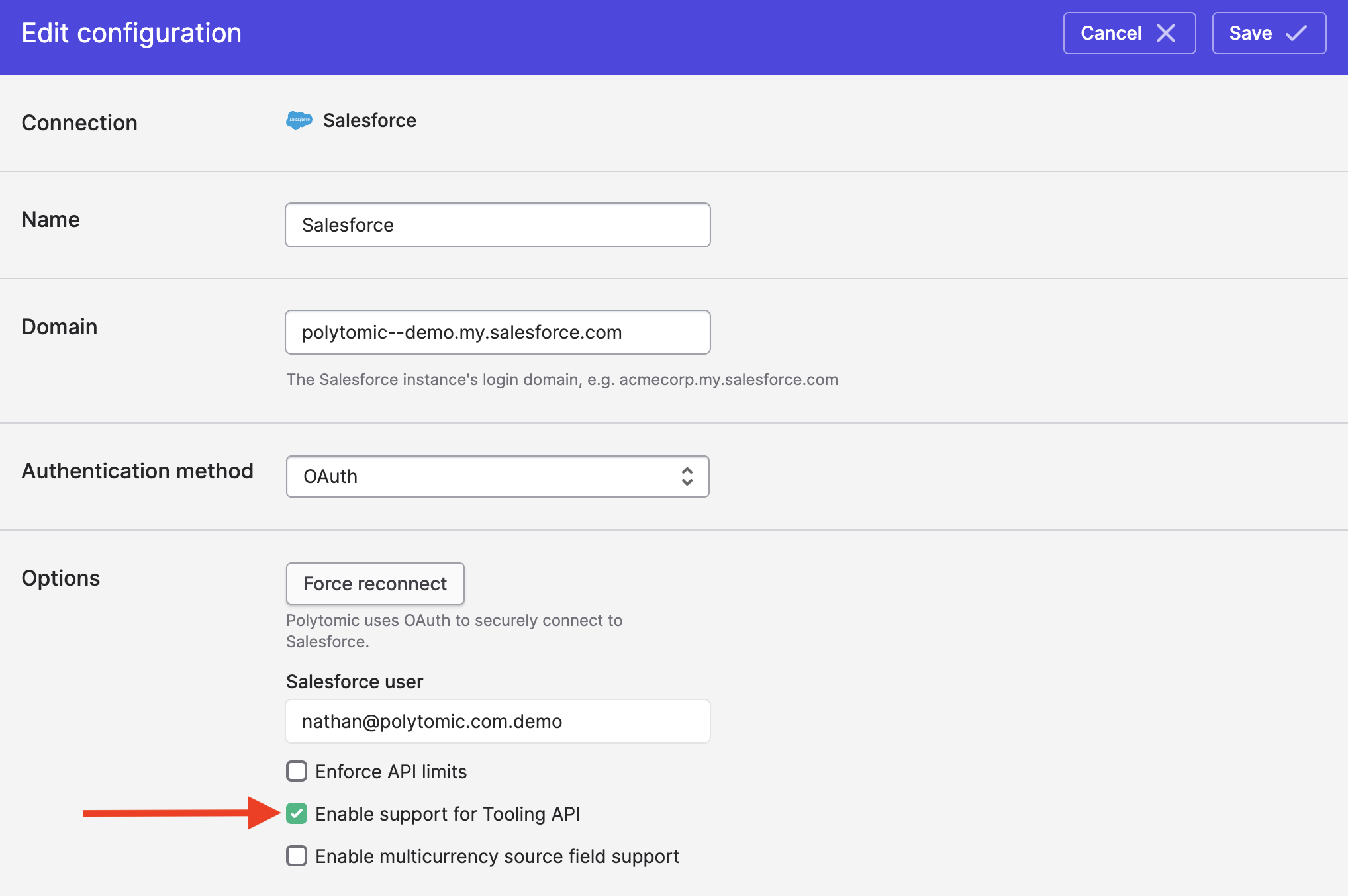
Listing these objects uses a few extra Salesforce API calls. Some Tooling API objects need more than the required permissions.
History cutoff
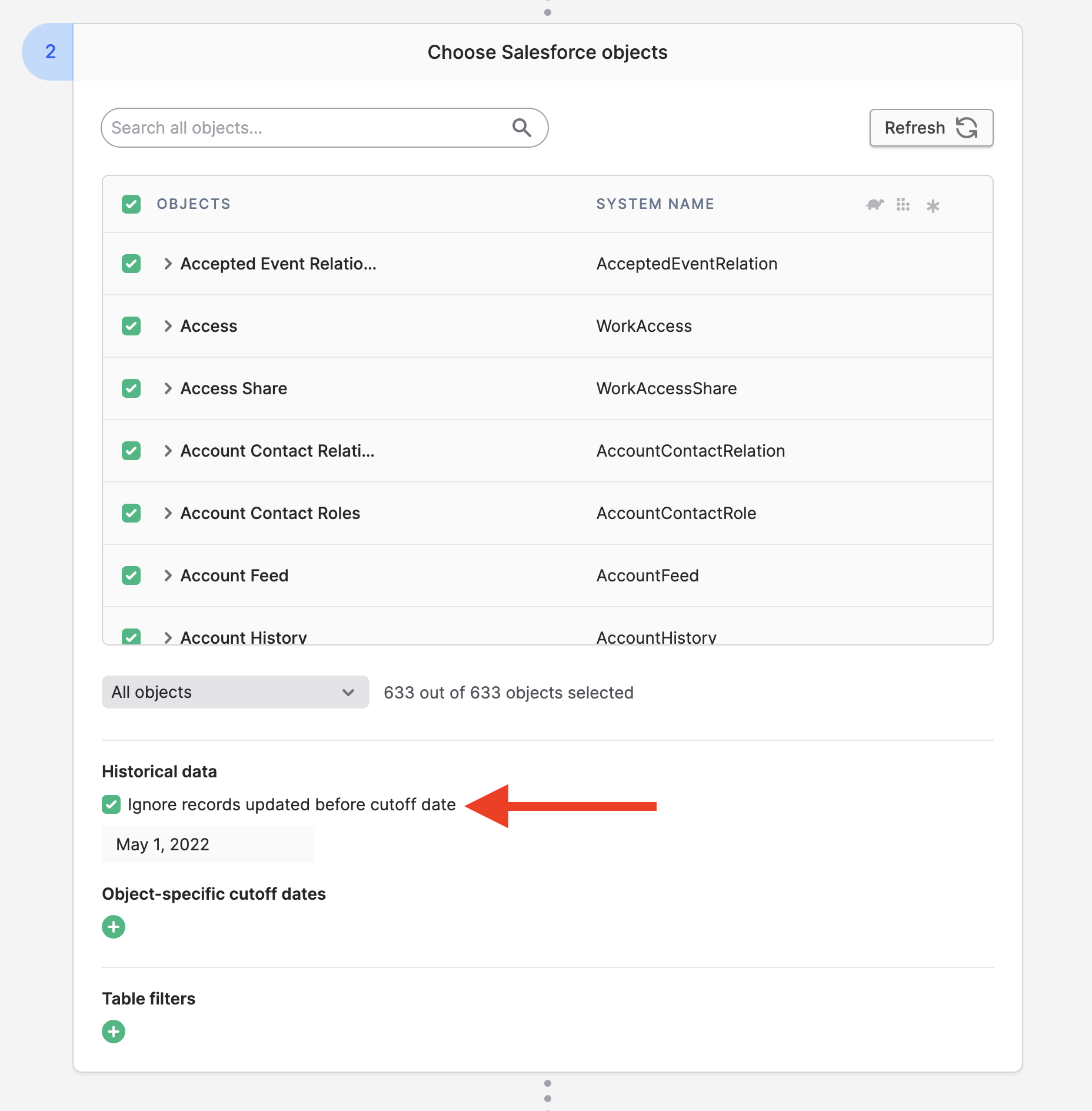
When syncing from a large Salesforce organization, you may not want to sync its full history. A history cutoff date restricts the sync to records whose timestamp is on or after that date.
Polytomic usually uses SystemModstamp for this filter. For history objects, it uses CreatedDate. Some event objects use EventDate instead:
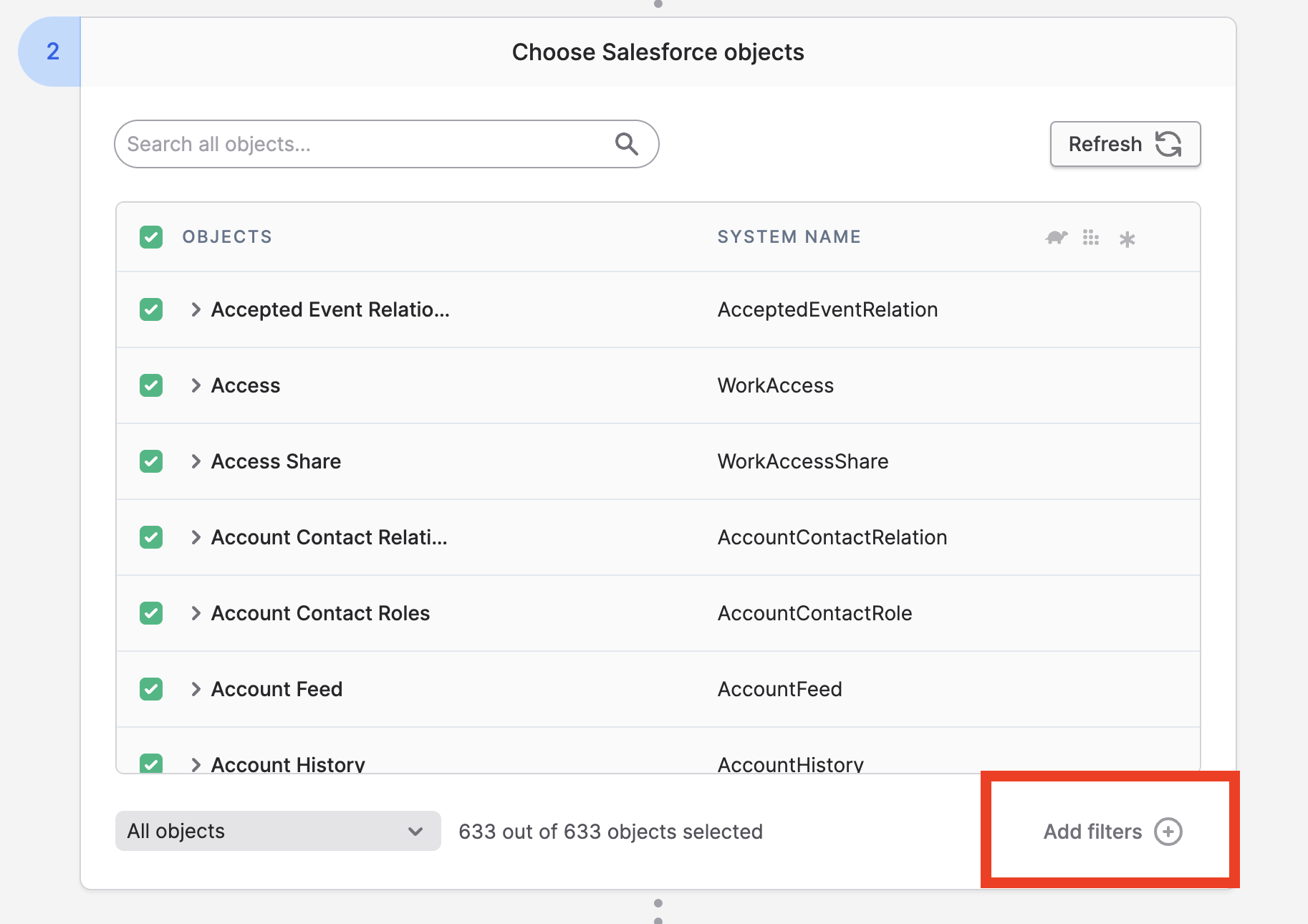
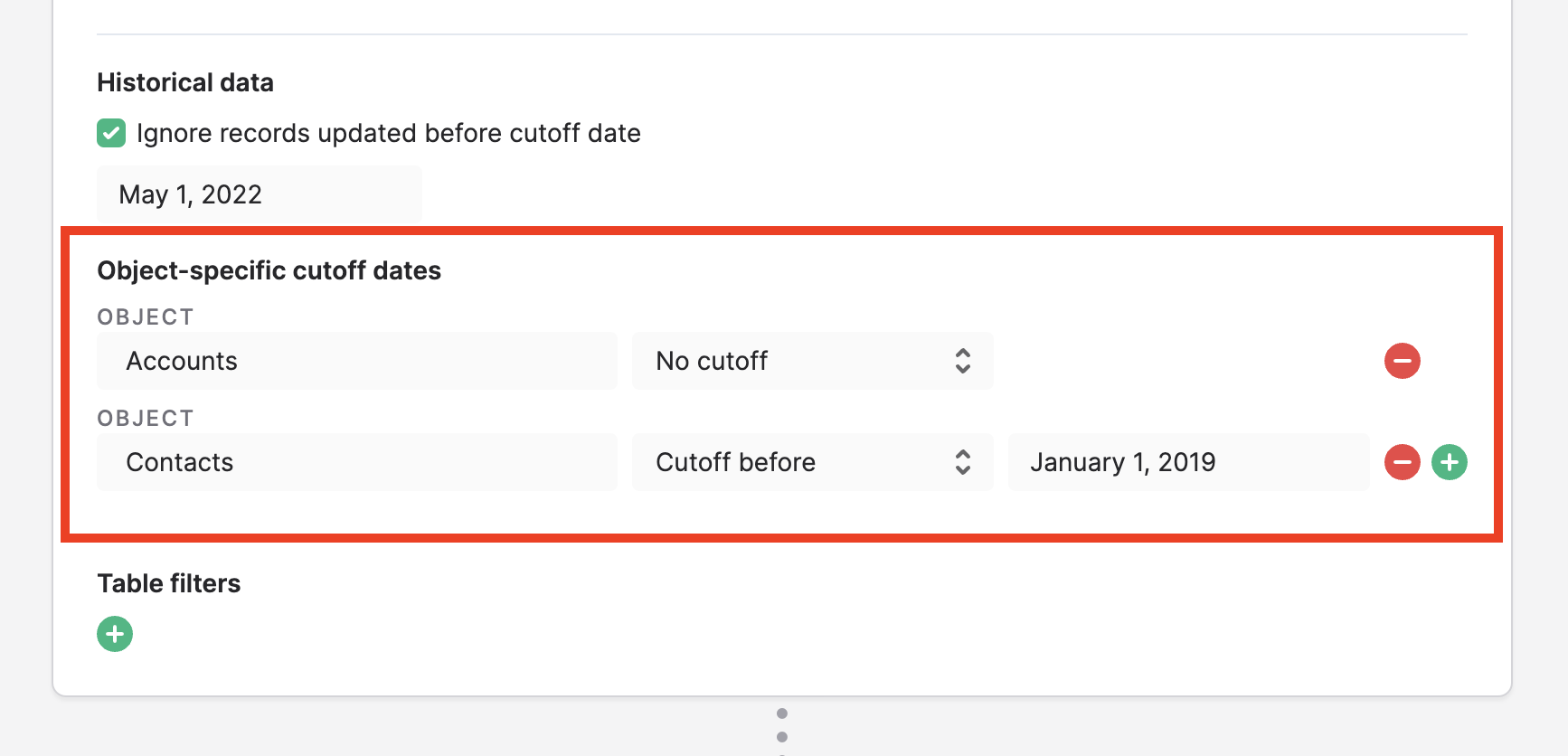
You can override the global cutoff for individual objects:
For finer per-object filtering, use Bulk Sync table filters.
Updated about 12 hours ago