

Saved queries (advanced)
Defining SQL queries for AI agents to use
In the rare case where you want to force connecting AI agents to execute a specific SQL query in response to a particular question or prompt from a user, you can define one or more saved queries for your Polytomic Harbor.
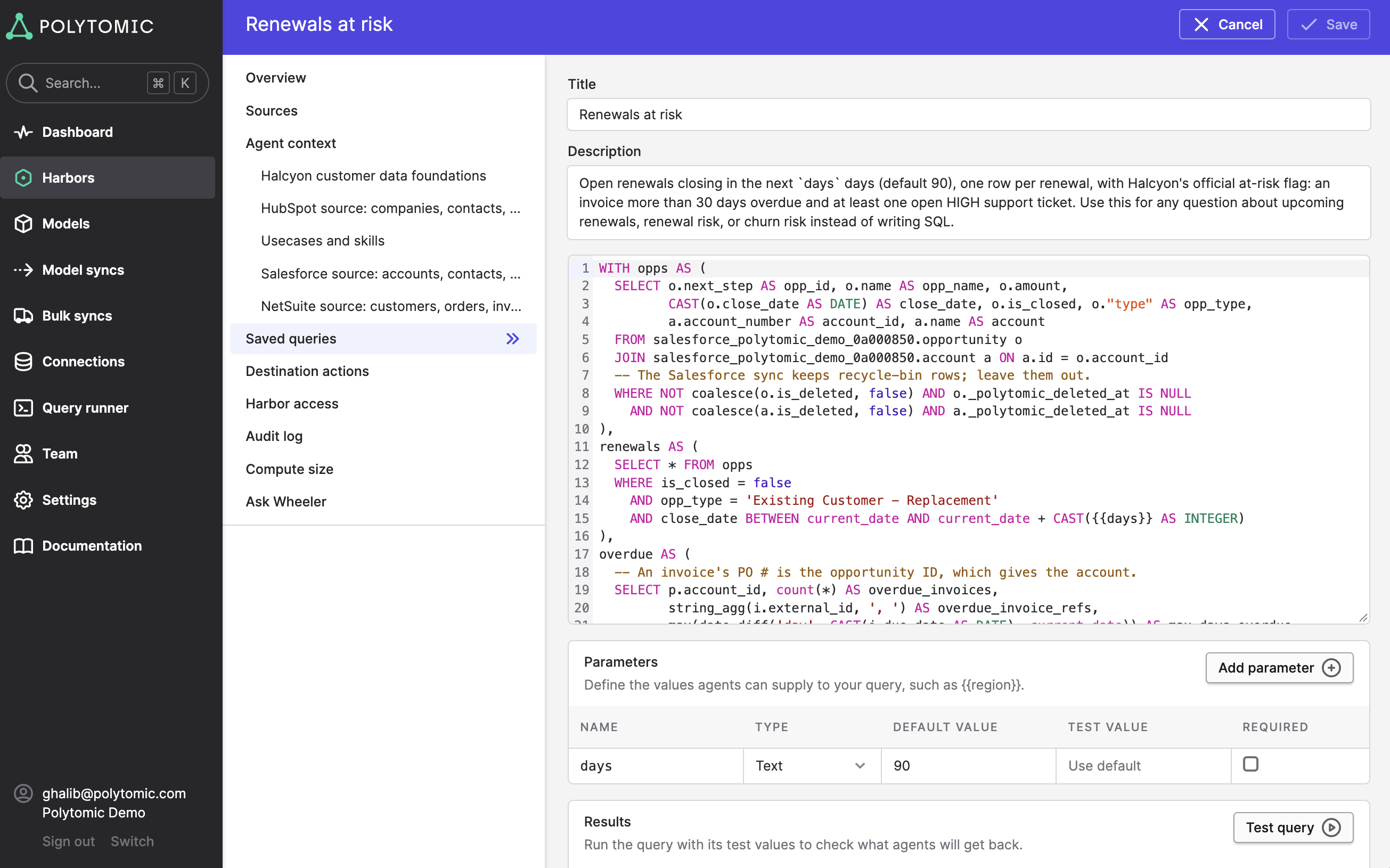
These saved queries require three elements:
- Query title
- Query description
- Query definition (i.e. a SQL statement)
Saved queries can also have templated parameters. For example, one user may instruct their AI agent to ask the Harbor 'Tell me which open renewals due in the next 30 days are at risk' while another may ask 'Show me at-risk renewals due in the next 60 days'.
In the prompt above, the number of days can be made a parameter in your SQL query that is automatically filled-in based on the user's prompt to their agent. Parameters can also have default values - the screenshot example below illustrates a parameter of days with a default value of 90:
Updated about 4 hours ago