

MongoDB
Source and destination
Whitelist IPsIf your database's network-access policy requires you to allowlist Polytomic's IP addresses (for example, the Network Access IP access list in MongoDB Atlas), see Whitelist IPs for the list.
-
Create a database user for Polytomic. You supply this user's credentials to Polytomic. See Required MongoDB user permissions below.
-
In Polytomic, go to Connections → Add connection → MongoDB.
-
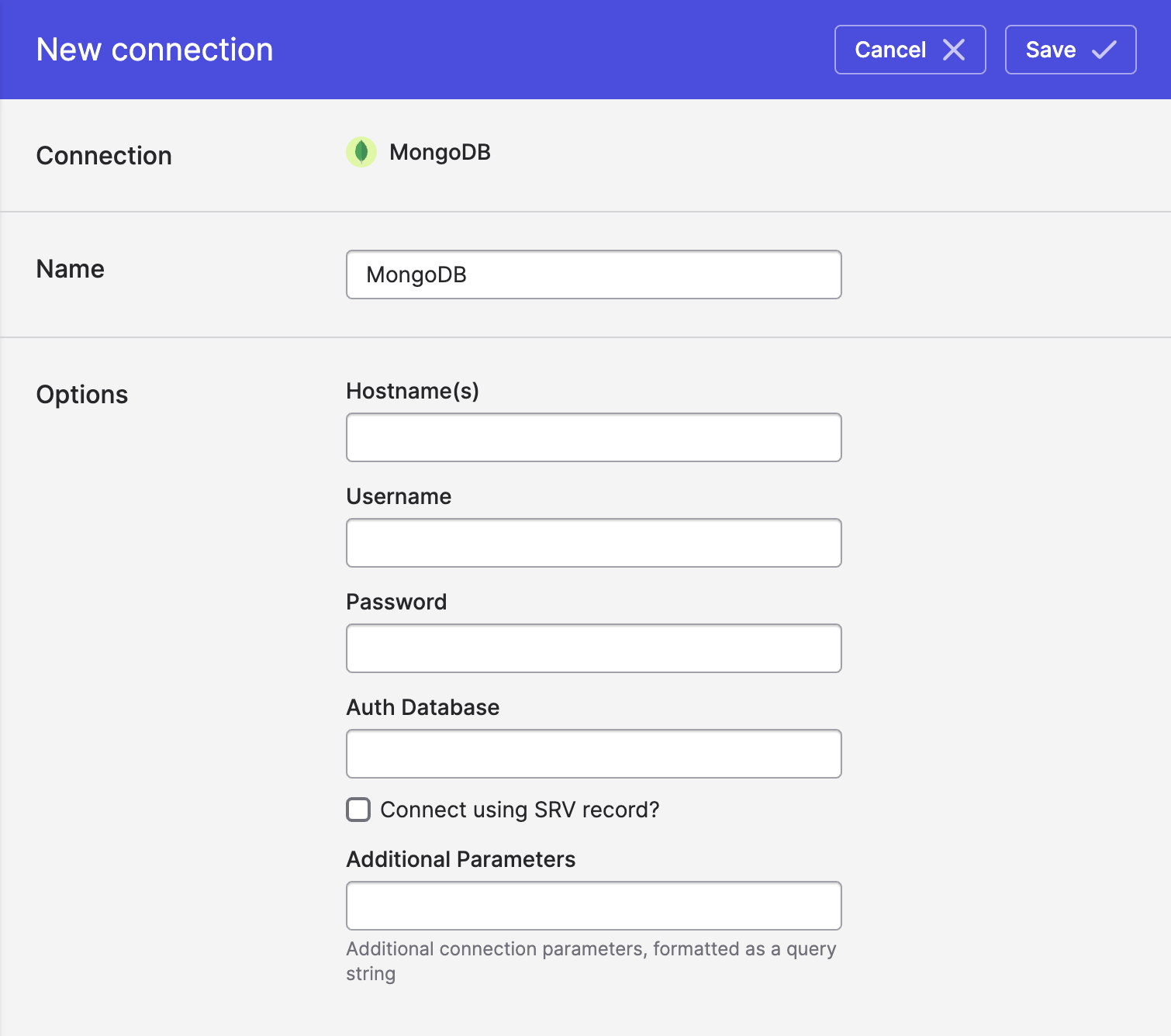
Enter host and credential details:
- Hostname(s): your MongoDB host, or a comma-separated list of
host:portpairs for a replica set (for example,mongo1.example.net:27017,mongo2.example.net:27017). If you check Connect using SRV record?, enter a single hostname with no port (for example, thecluster0.abcde.mongodb.netportion of an Atlasmongodb+srv://connection string). - Username and Password: the credentials of the user you created. If either contains special characters such as
@,:,/, or%, percent-encode them. - Auth database: the database the user was created in (usually
admin; on MongoDB Atlas, alwaysadmin). - Use TLS/SSL: enabled by default. Leave this on for MongoDB Atlas and any server that requires TLS.
- Connect using SRV record?: check this if your connection string starts with
mongodb+srv://, as Atlas connection strings do. - Additional parameters: optional connection string options, formatted as a query string (for example,
replicaSet=rs0&authMechanism=SCRAM-SHA-256). These override the settings above. - Use change stream for bulk syncs: see Change streams below.
- Hostname(s): your MongoDB host, or a comma-separated list of
- Click Save.
Required MongoDB user permissions
The roles your Polytomic database user needs depend on how you use the connection:
| Use | Required role |
|---|---|
| Source (reading) | read on each database you sync from |
| Source with change streams enabled | readAnyDatabase (see Change streams) |
| Destination (writing) | readWrite on each database you sync to |
For example, using mongosh on a self-managed deployment:
use admin
db.createUser({
  user: "polytomic",
  pwd: passwordPrompt(),
  roles: [
    { role: "read", db: "my_source_database" },
    { role: "readWrite", db: "my_destination_database" }
  ]
})
On MongoDB Atlas, create the user under Security → Database Access → Add New Database User. Choose the built-in role Only read any database (readAnyDatabase) for a source connection. Choose Read and write to any database (readWriteAnyDatabase) if Polytomic also writes. To restrict access to specific databases, use Specific Privileges to add read or readWrite on each database instead.
Change streams
When Use change stream for bulk syncs is enabled, Bulk Syncs from MongoDB collections read incremental changes from a change stream instead of rescanning each collection. Views are always read with a full scan.
Change streams have the following requirements:
- Replica set or sharded cluster. Change streams aren't available on standalone
mongodservers. All MongoDB Atlas clusters meet this requirement. - Permissions on all databases. Polytomic reads a single change stream across the whole deployment and filters it to the collections you sync. The database user needs
findandchangeStreamon all non-system databases. The built-inreadAnyDatabaserole (Atlas: Only read any database) grants these. - Enough oplog history. Polytomic resumes the change stream from where the previous sync left off. If the oplog no longer contains that point, the sync fails and you must resync it. This can happen if syncs are paused for longer than your oplog window. Make sure your oplog window comfortably exceeds the time between syncs. On Atlas, you can set a Minimum Oplog Window in the cluster's Additional Settings.
Large documentsOn MongoDB 6.0.9 and later, Polytomic splits change events larger than 16 MB automatically. On older versions, an update to a very large document may cause Polytomic to read that change without a full copy of the document.
Amazon DocumentDB
Polytomic also supports change streams on Amazon DocumentDB 4.0 and later. We recommend 5.0 or later. You must enable change streams on DocumentDB explicitly. To enable them for all databases and collections, run the following as a database user with the necessary privileges:
db.adminCommand({ modifyChangeStreams: 1, database: "", collection: "", enable: true })By default, DocumentDB retains change stream events for 3 hours. Increase the change_stream_log_retention_duration cluster parameter (up to 7 days) so it exceeds the time between syncs.
Syncing from MongoDB
Using Model Syncs to sync from MongoDB to your SaaS tools, data warehouses, databases, spreadsheets, cloud storage like S3, and webhooks.
Syncing to MongoDB
Use Model Syncs to sync to MongoDB from your SaaS tools, data warehouses, databases, spreadsheets, cloud storage like S3, and webhooks.
Creating new collections vs updating existing ones
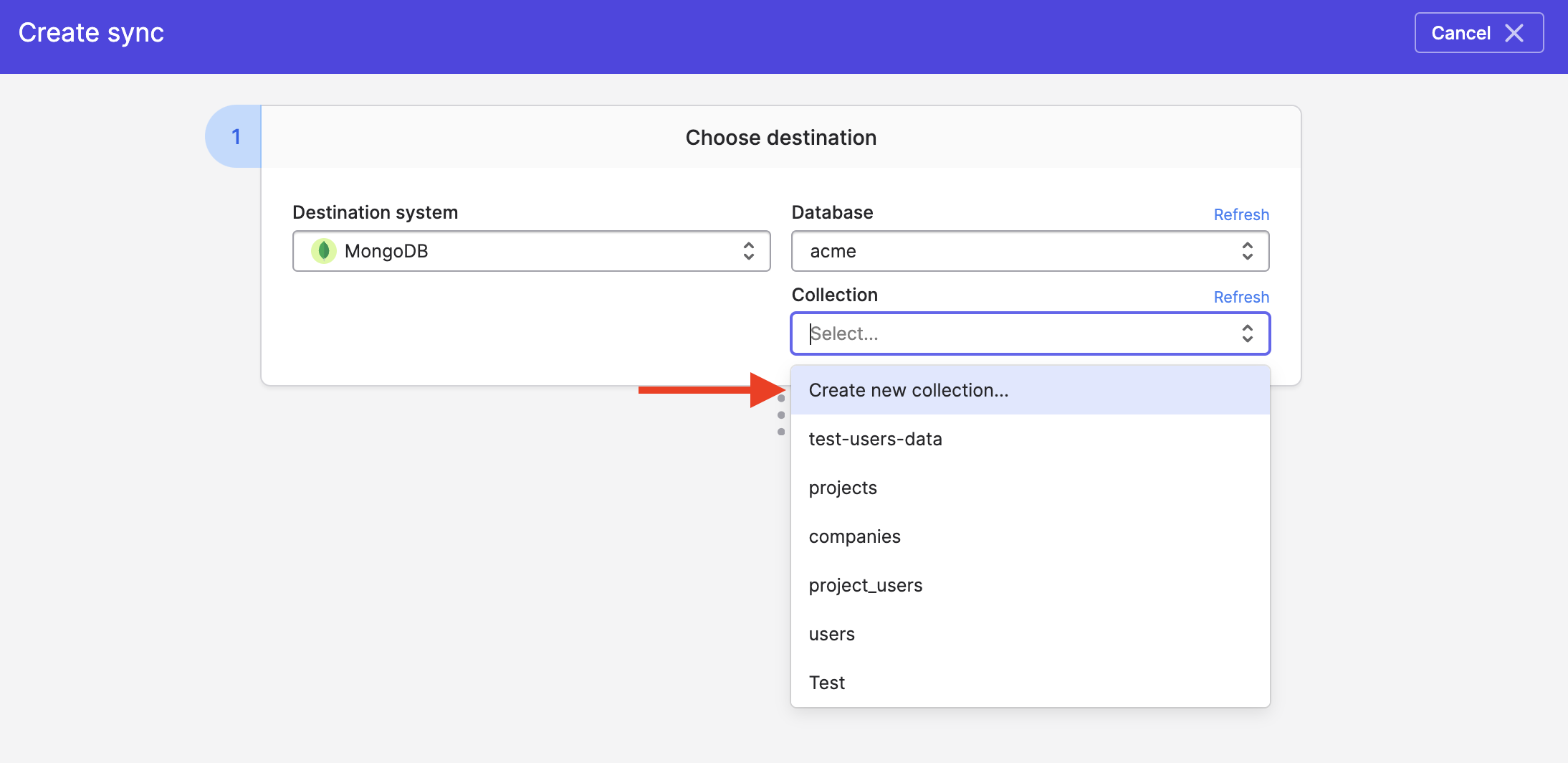
If you want the Polytomic sync to create a new collection rather than updating an existing one, make sure to select the Create new collection option in your sync configuration:
Creating new fields on MongoDB objects
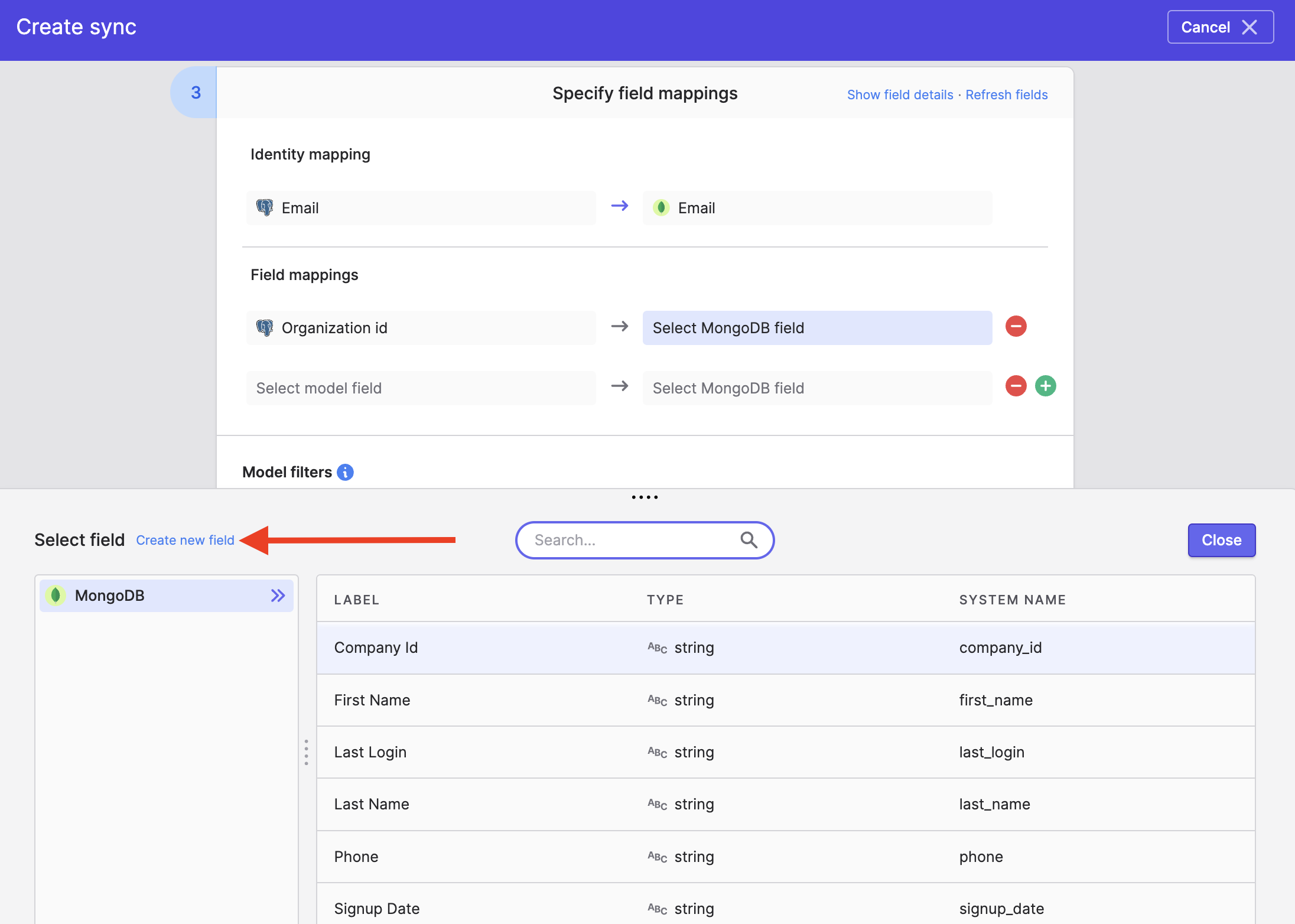
In addition to updating existing fields, Polytomic can also create new fields on your MongoDB objects. To do this, click the Create new field button in your destination field mapping list:
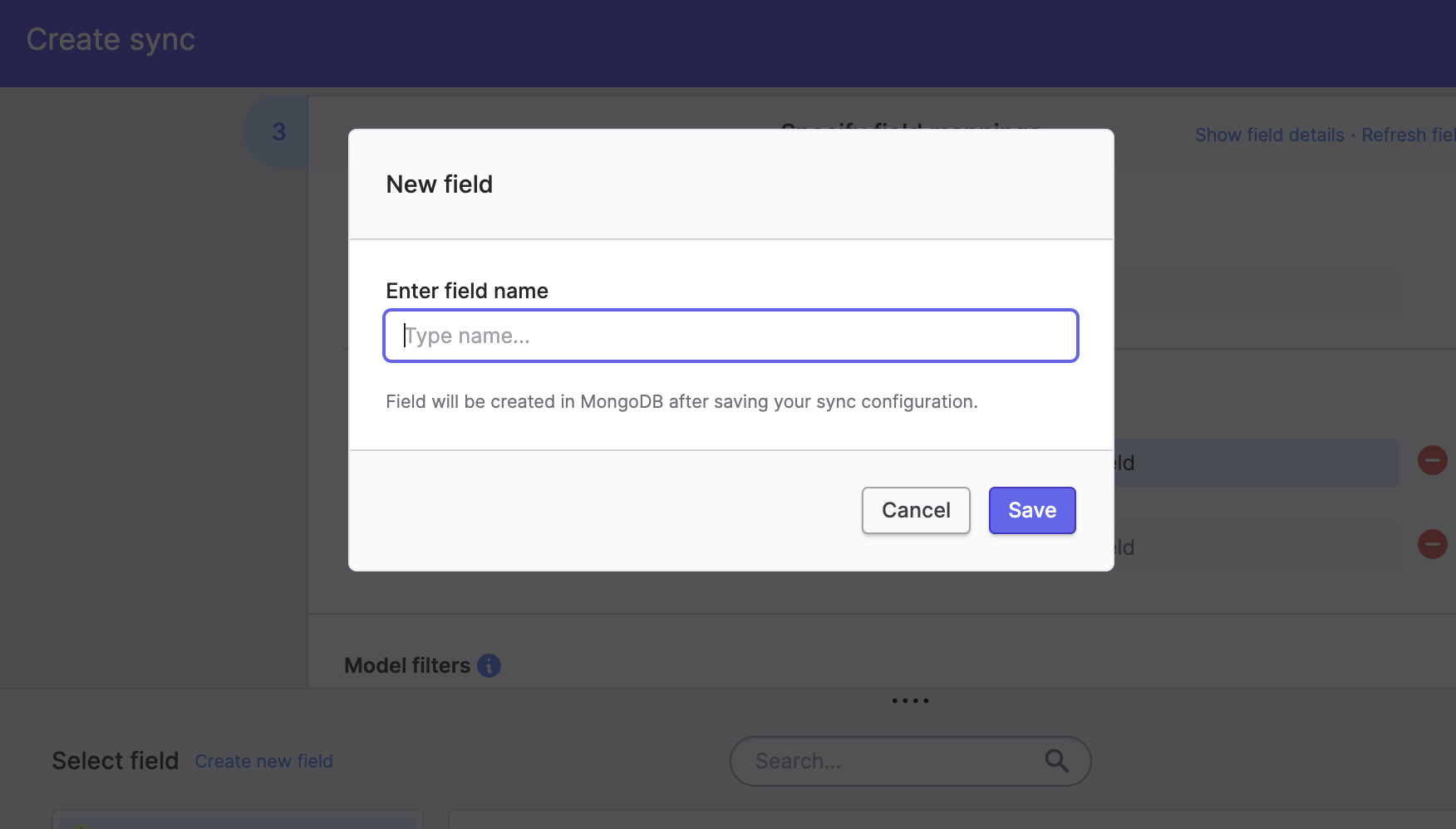
You will then be prompted to enter a name for your new MongoDB destination field:
Updated 3 days ago